Apple has released iOS 26.2, a mid-cycle update that doesn’t introduce sweeping changes but quietly refines how the iPhone works day to day. Like many point releases, iOS 26.2 focuses on small interface adjustments and practical features that collectively make the system feel more consistent and easier to live with, especially for users already settled into iOS 26.
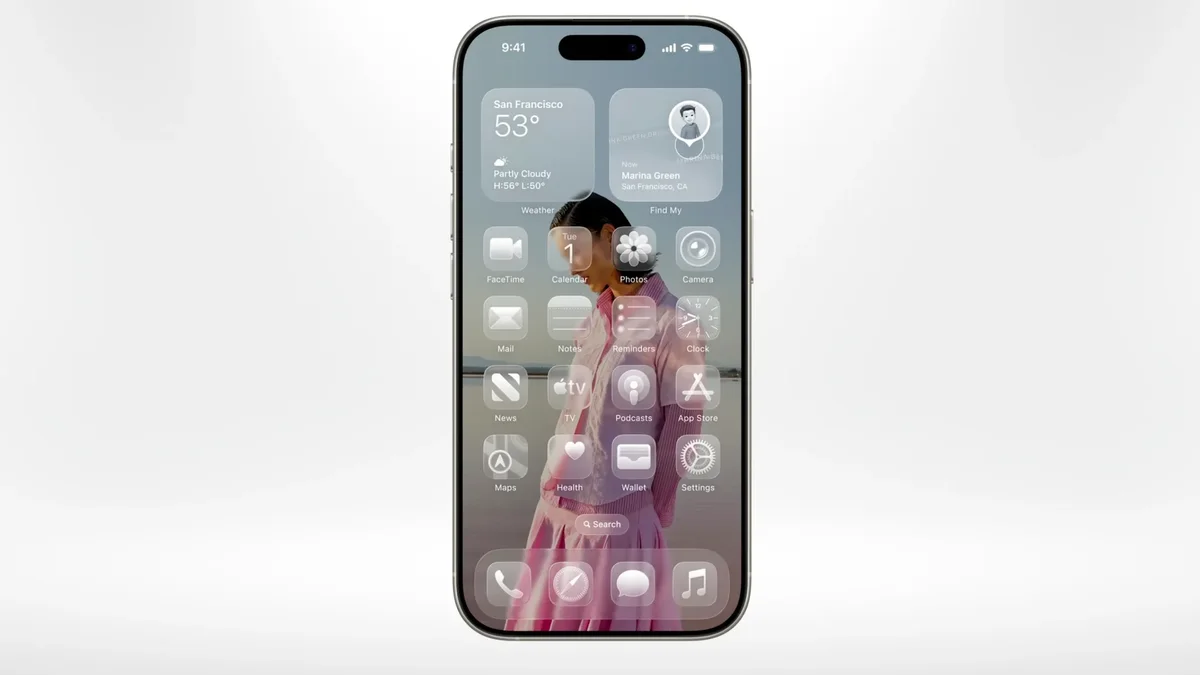
One of the most visible changes continues Apple’s gradual tuning of the Liquid Glass design language. After adding a tinted option in iOS 26.1, Apple now gives users more control over how the Lock Screen clock looks. A new transparency slider lets you fine-tune how pronounced the Liquid Glass effect appears, from highly translucent to fully solid. Color customization remains intact, giving users flexibility without forcing a single aesthetic.
The Measure app also adopts the Liquid Glass interface in iOS 26.2. While its functionality is unchanged, the updated controls and panels align it visually with newer system apps. It’s a cosmetic update, but one that helps bring a long-neglected utility in line with the rest of the operating system.
Podcasts gain a more functional upgrade. iOS 26.2 introduces automatically generated chapters based on episode transcripts, removing the need for creators to define them manually. Listeners can jump to specific segments more easily, and the app can now detect when another podcast is mentioned and link directly to it, adding a subtle discovery layer without cluttering the interface.
Sleep Score, introduced earlier in iOS 26, is also refined. Apple has adjusted how scores are calculated and presented, offering clearer ranges that better reflect sleep duration, consistency, and interruptions. While it doesn’t change how data is collected, it makes the results easier to interpret at a glance.
Another practical addition is the option to treat reminders as alarms. Users can choose to have certain reminders appear full-screen with audible alerts, complete with snooze controls. The feature is optional, preserving standard notifications for those who prefer a lighter touch.
iOS 26.2 also tightens AirDrop security. When sharing with someone outside your contacts, a PIN code is now required, similar to pairing an Apple TV. Once verified, that device is remembered for 30 days, reducing friction for repeat sharing while adding a layer of protection.
Additional updates include new Apple News shortcuts for common sections, table support in the Freeform app for more structured brainstorming, and expanded availability of AirPods Live Translation across the European Union. Live Translation remains limited to newer AirPods models and a defined set of languages, but its broader regional support makes it more practical for travel and multilingual conversations.
Taken together, iOS 26.2 doesn’t redefine the iPhone experience, but it smooths rough edges and adds thoughtful options. For users already on iOS 26, it’s a modest but worthwhile update that improves cohesion and usability without demanding adjustment.