Google is rolling out a new set of ChromeOS features aimed squarely at classroom productivity, with updates focused on screen management, device control, and AI-assisted workflows for schools using managed Chromebooks. The changes are part of ongoing improvements to tools available through Google’s education software offerings and are primarily targeted at institutions subscribed to Google Workspace for Education Plus.
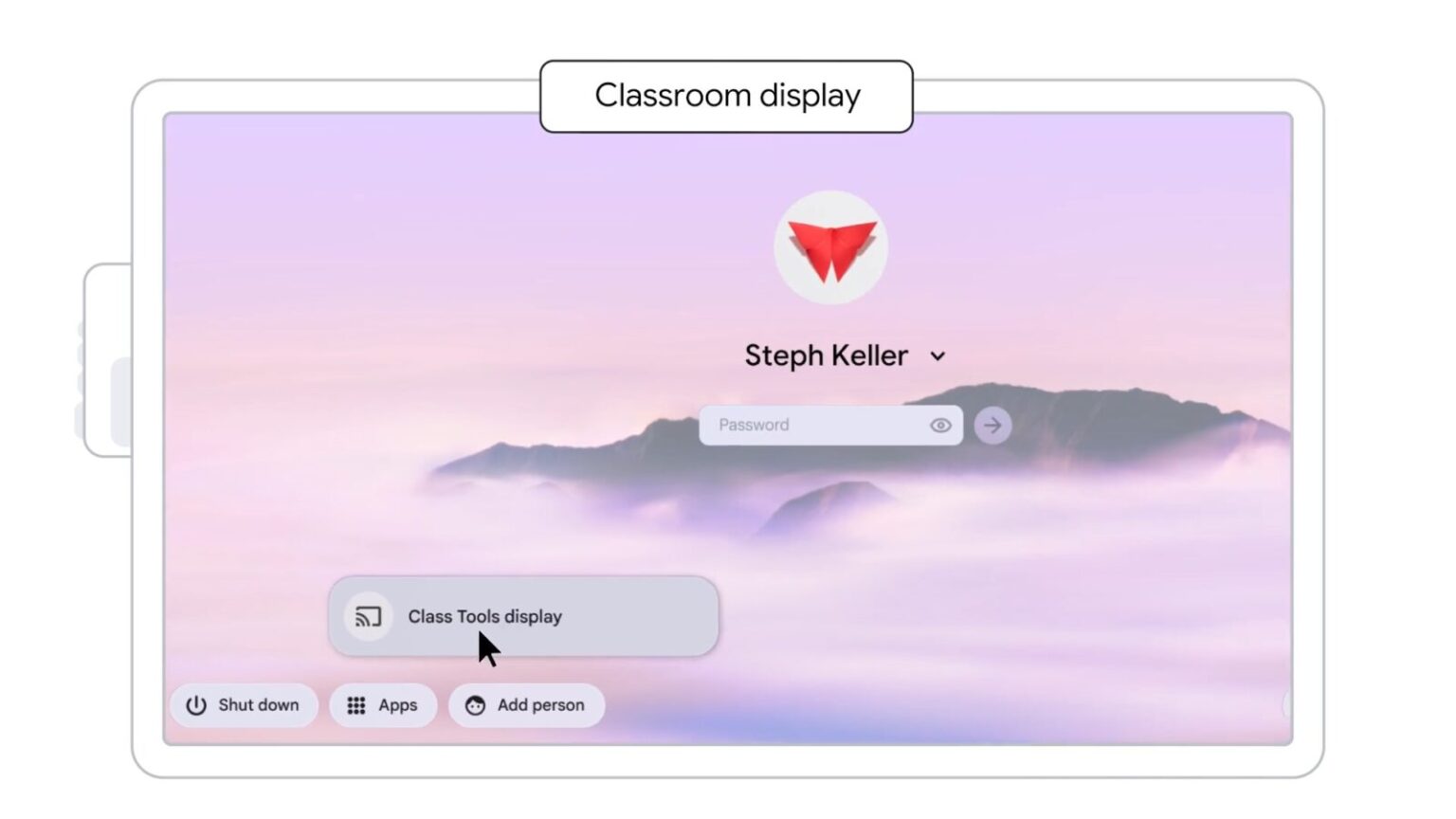
One of the more practical additions is a new Class tools display app for teachers working on managed Chromebook devices. The app allows educators to mirror their own screen or a student’s screen directly to a classroom display, reducing the friction typically involved in switching cables or managing third-party screen-sharing tools. This is paired with screen annotation support, which lets teachers draw or write over any on-screen content in real time. These annotations work alongside existing classroom controls, such as live student screen monitoring and the ability to lock devices to specific tasks or assignments, helping instructors keep lessons focused without constantly interrupting instruction.
Google is also expanding software support for newer Chromebook Plus models. These devices will gain access to AI-assisted features designed to streamline common classroom tasks. Text Capture allows users to extract text directly from on-screen content, which may be useful for pulling quotes, definitions, or data from digital materials. Quick Insert adds basic image generation tools that can be embedded into lesson plans or presentations, offering a faster alternative to searching for external media.
On the hardware side, Google is supporting new Chromebox OPS devices from partners including LG and Acer. These compact systems are designed to slot directly into compatible classroom displays, effectively turning existing screens into full ChromeOS workstations. For schools, this could reduce the need to replace large display hardware while still upgrading classroom computing capabilities.
Productivity updates also extend to AI features within the browser itself. ChromeOS now supports Gemini inside Chrome for all Chromebook Plus users, bringing generative AI tools directly into everyday browsing. Teachers and students can summarize long articles, review PDFs, or pull key points from educational videos without leaving their current tab. Additional side-panel integrations for Google apps such as calendar and task management aim to reduce context switching, keeping scheduling and organization tools accessible without disrupting lessons.
Together, these updates suggest a continued emphasis on incremental improvements rather than dramatic overhauls. By tightening the connection between ChromeOS, classroom hardware, and AI-assisted tools, Google appears focused on making existing workflows more efficient for educators rather than redefining how classrooms operate.