By using this site, you agree to our Privacy Policy and Terms of Service.
Accept
Absolute Geeks UAEAbsolute Geeks UAE
  • STORIES
    • TECH
    • AUTOMOTIVE
    • GUIDES
    • OPINIONS
  • REVIEWS
    • READERS’ CHOICE
    • ALL REVIEWS
    • ━
    • SMARTPHONES
    • CARS
    • HEADPHONES
    • ACCESSORIES
    • LAPTOPS
    • TABLETS
    • WEARABLES
    • SPEAKERS
    • APPS
  • WATCHLIST
    • TV & MOVIES REVIEWS
    • SPOTLIGHT
  • GAMING
    • GAMING NEWS
    • GAME REVIEWS
  • +
    • OUR STORY
    • GET IN TOUCH
Reading: Google Vids gets vertical and square video formats, expanding AI editing for creators
Share
Notification Show More
Absolute Geeks UAEAbsolute Geeks UAE
  • STORIES
    • TECH
    • AUTOMOTIVE
    • GUIDES
    • OPINIONS
  • REVIEWS
    • READERS’ CHOICE
    • ALL REVIEWS
    • ━
    • SMARTPHONES
    • CARS
    • HEADPHONES
    • ACCESSORIES
    • LAPTOPS
    • TABLETS
    • WEARABLES
    • SPEAKERS
    • APPS
  • WATCHLIST
    • TV & MOVIES REVIEWS
    • SPOTLIGHT
  • GAMING
    • GAMING NEWS
    • GAME REVIEWS
  • +
    • OUR STORY
    • GET IN TOUCH
Follow US

Google Vids gets vertical and square video formats, expanding AI editing for creators

GEEK DESK
GEEK DESK
Oct 11

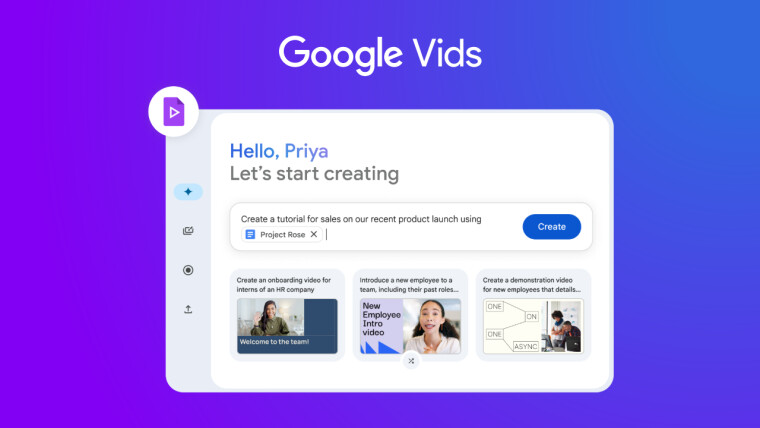
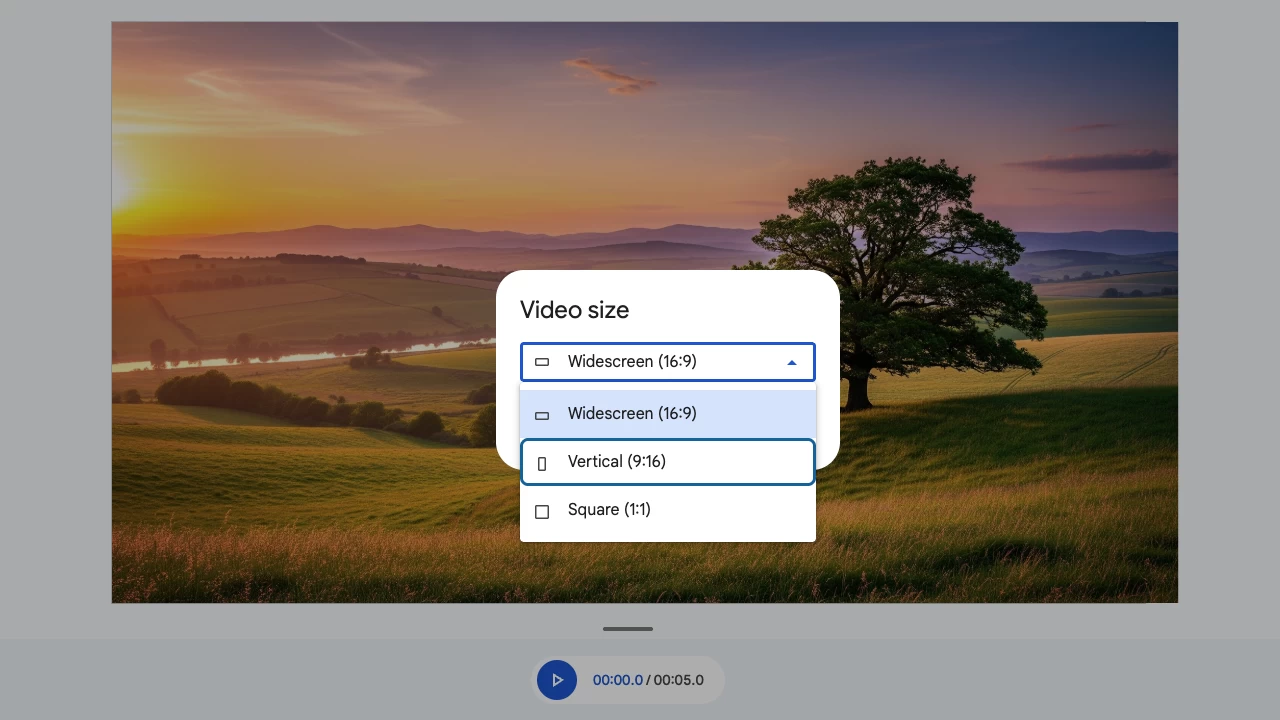
Google’s AI-powered video creation tool, Google Vids, is getting a fresh upgrade — and this time, it’s all about flexibility. The app now supports new video aspect ratios, including 9:16 vertical and 1:1 square formats, rolling out to both Google Workspace and personal account users.

Previously, Google Vids only allowed users to create in the standard horizontal (16:9) format. The new options make it much easier to produce content optimized for platforms like YouTube Shorts, Instagram Reels, and TikTok — a smart move for creators who live in the vertical video era.

Switching formats is simple: users can click the “Video size” button in the top menu bar or head to File → Video size to select the preferred aspect ratio. Google says new templates are also being introduced for these layouts, helping users generate on-brand content faster.

“These additional sizes will give you more flexibility to create content and export to a variety of platforms,” the company said in a blog post announcing the update.
Launched in April 2024, Google Vids uses AI to help users generate video scripts, scenes, and visuals — perfect for training materials, presentations, and social content. Since then, it’s integrated Google’s advanced Veo 2 and Veo 3 models to create more realistic video clips, add background music, and even generate videos from still images.

The app also supports text-prompt background replacement and seamless editing of clips stored in Google Drive.

The rollout of the new video formats has already begun and will reach all users over the next few weeks. There’s no admin setting to enable or disable the feature — once it’s live, it’ll just appear in the interface.

So whether you’re cutting a training reel or creating your next viral post, Google Vids now has you covered — in every orientation.

Share
What do you think?
Happy0
Sad0
Love0
Surprise0
Cry0
Angry0
Dead0

WHAT'S HOT ❰

John Ternus highlights AI potential as he prepares to take over as Apple CEO
Nothing brings back Warp file transfer app after brief removal but requires sideloading
OpenAI releases ChatGPT Images 2 with improved text rendering and layout tools
Sonos Arc Ultra, Sub 4 and Era 300: how the system reshapes home listening in 2026
Supersonic travel: Dyson brings intelligent heat control to carry-on luggage
Absolute Geeks UAEAbsolute Geeks UAE
Follow US
AbsoluteGeeks.com was assembled during a caffeine incident.
© Absolute Geeks Media FZE LLC 2014–2026.
Proudly made in Dubai, UAE ❤️
Upgrade Your Brain Firmware
Receive updates, patches, and jokes you’ll pretend you understood.
No spam, just RAM for your brain.
Welcome Back!

Sign in to your account

Username or Email Address
Password

Lost your password?