

Google is expanding the capabilities of Gemini inside Google Sheets, adding new tools that allow the AI system to create spreadsheets, organize data, and assist with analytical tasks using simple natural language prompts. The update is aimed at reducing the need for manual spreadsheet setup or complex formulas, particularly for users who rely on Sheets for project planning, data tracking, and business analysis.
With the latest update, Gemini in Google Sheets can generate an entire spreadsheet structure based on a written request. Instead of manually creating columns, tabs, and formulas, users can describe what they want in plain language and allow the AI system to build the layout automatically. For example, a prompt asking Gemini to organize a household move could produce a spreadsheet that includes packing checklists, a list of utility contacts, and a table for comparing moving company quotes.
Gemini can also pull information from related sources within a user’s Google account, including emails and stored files, to populate the spreadsheet with relevant details. This integration allows the system to assemble projects that combine multiple data sources rather than relying solely on manually entered information.
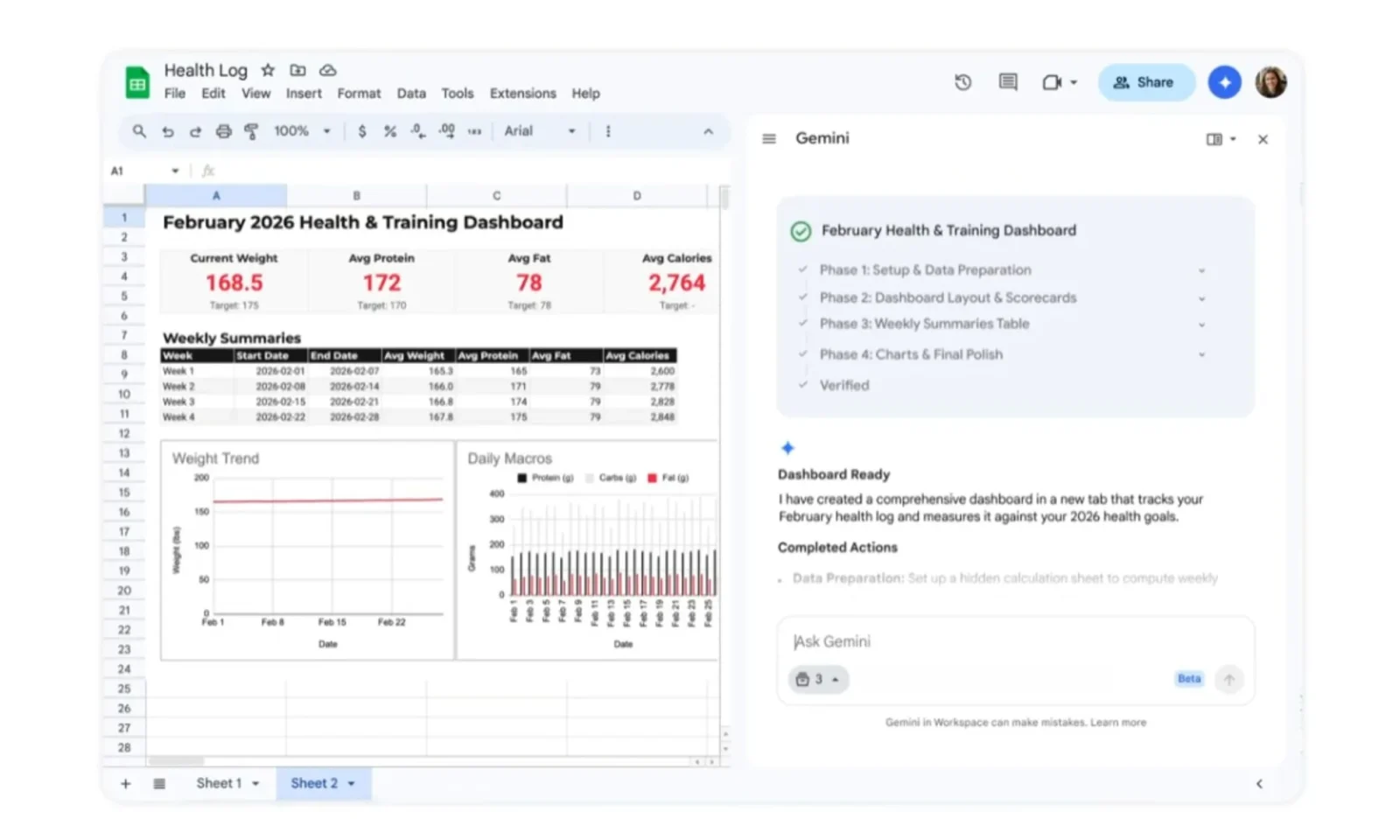
The update also introduces a feature called “Fill with Gemini,” which focuses on completing missing information in existing spreadsheets. When users select a column or data field that lacks entries, the AI can generate suggested values automatically. These entries may include descriptive text, categorized labels, or summarized information derived from available data.
In some cases, Gemini can also retrieve current information from Google Search to help complete spreadsheet entries. For instance, someone tracking college applications could create a table with columns for tuition costs, application deadlines, and other details. By using the Fill with Gemini feature and dragging down the column, the system can populate missing data for multiple schools based on publicly available information.
Beyond data entry and spreadsheet creation, Google is also positioning Gemini as a tool for more advanced analysis. Enterprise users can now use the AI to address optimization problems that typically require complex formulas or specialized software. These tasks often involve balancing multiple variables and constraints, such as scheduling employees, allocating resources, or modeling cost scenarios.
The analytical capability is powered by research from Google DeepMind and Google Research, including the OR-Tools optimization framework. Instead of building formulas manually or writing scripts, users can describe the objective in natural language and allow the system to generate a solution model. In one example shared by Google, Gemini can help create a weekly employee schedule that maximizes profitability while accounting for staff availability and skill requirements.
The company frames these additions as part of a broader effort to make spreadsheet tools more accessible to users who may not be comfortable with advanced formulas or programming logic. By relying on natural language prompts, Gemini aims to simplify tasks that previously required technical spreadsheet expertise.
The new Gemini features are rolling out globally in U.S. English. Access will initially be available to subscribers of Google AI Pro and Google AI Ultra, as well as enterprise customers enrolled in the Gemini Alpha business program.
As generative AI tools become more integrated into productivity software, platforms like Google Sheets are increasingly shifting from manual data management toward AI-assisted workflows. While traditional spreadsheet functionality remains in place, the addition of Gemini signals a continued move toward automation and conversational interfaces in everyday productivity tools.