

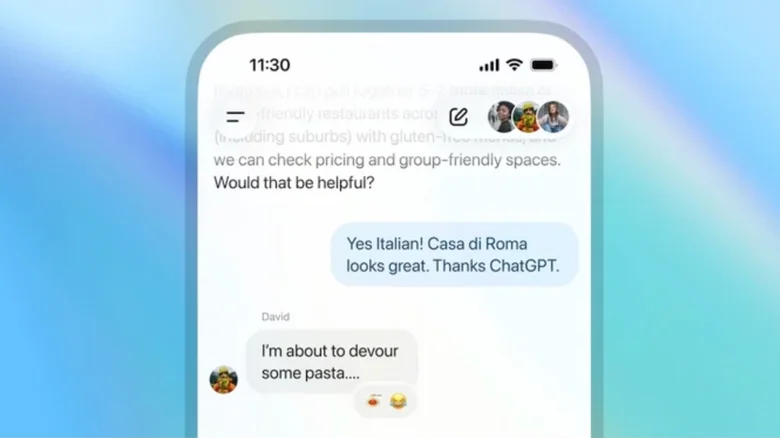
OpenAI is broadening access to ChatGPT’s group chat feature, extending it from a handful of early test regions to users worldwide. The expansion marks one of the company’s more publicly visible interface updates, largely because it brings collaborative tools to the free tier rather than limiting them to subscribers. With global availability, people can now create shared conversations that include family members, friends, and colleagues alongside the AI, allowing groups to plan events, draft documents, or simply gather information in a single thread without mixing in personal chat history.
The feature was previously constrained to countries such as Japan, New Zealand, South Korea, and Taiwan. With the global rollout, creating a group chat becomes a straightforward action: users tap the People icon in the upper-right corner of a new or existing conversation. When someone is added, the system generates a parallel copy of that chat specifically for the group, preserving privacy by keeping all prior one-on-one exchanges separate. Participants can be invited through a shareable link, with groups supporting up to twenty people. The setup process asks for a basic profile—name, username, and photo—to help others identify who is speaking in multi-user threads.
These group chats run on GPT-5.1 Auto, a model-switching system that selects the appropriate version of ChatGPT based on the prompt and the user’s subscription level. Within a shared space, participants can use text, images, files, dictation, and image generation, while regular messaging between users is not subject to rate limits. The AI has been tuned to behave more naturally in group dynamics, responding when invoked and staying quiet when conversations shift among humans. It can also react to messages and recognize profile photos, small touches meant to make the experience feel less mechanical.
Alongside the broader rollout, many users are still discovering smaller interface features that can impact workflow. One example is the Edit message option, which allows users to revise any of their previous prompts directly rather than layering on follow-up corrections. This can streamline long conversations and reduce clutter, especially for people who rely on ChatGPT for frequent or detailed work. Editing the initial prompt can significantly change the system’s response, and the interface shows both the revised answer and the previous output so users can decide how to move forward.
As ChatGPT’s interface continues to evolve, the platform increasingly resembles a multi-use communication tool rather than a simple one-on-one chatbot. The global release of group chat functionality and small but useful features like prompt editing show how quickly the product is adapting to broader, everyday use. Whether people adopt these tools for coordination, brainstorming, or lightweight project planning, the changes indicate a shift toward AI as a shared workspace rather than an individual assistant.