Apple has released the release candidate for iOS 26.1, the final test build before public rollout, and it’s shaping up to be one of those updates that quietly fixes the little annoyances everyone’s been grumbling about. It doesn’t reinvent the iPhone, but it does make it feel a lot less irritating to use.
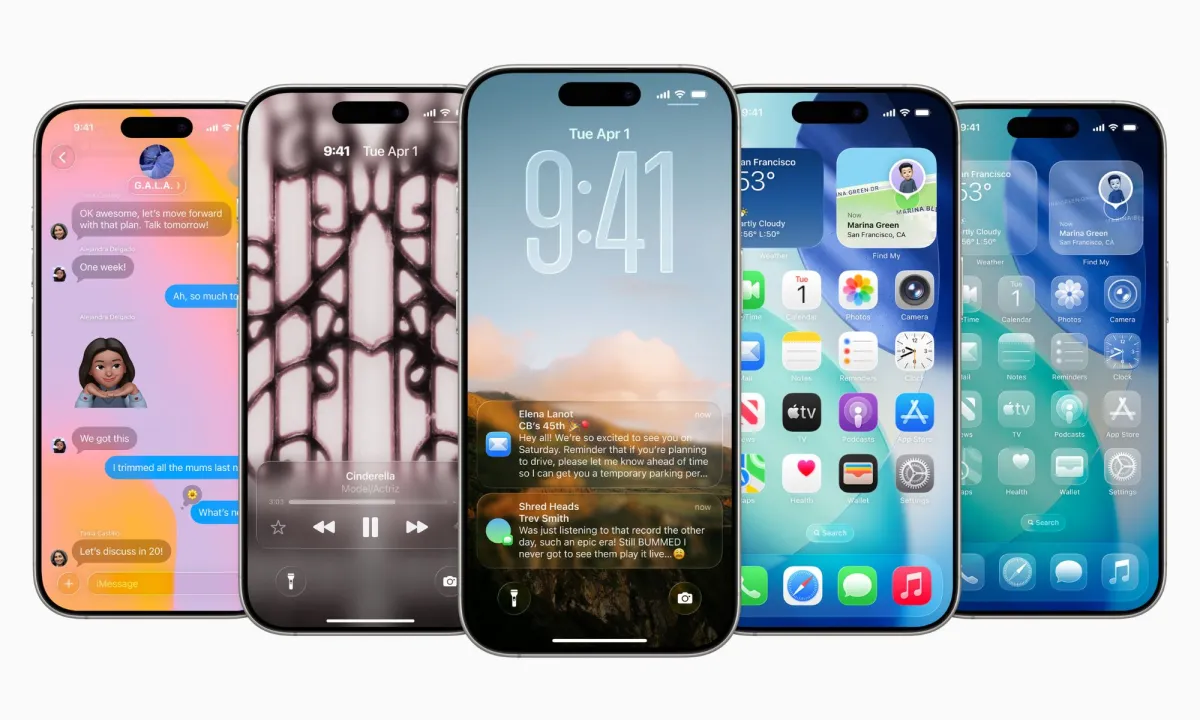
First up, the “Liquid Glass” design that arrived with iOS 26 — the glossy, semi-transparent interface that made menus look cool but sometimes unreadable — now has a fix. Under Settings > Display & Brightness, users can toggle between “Clear” and a new “Tinted” option. The latter mutes the transparency and boosts contrast, making notifications and menus easier to read, especially in bright or busy backgrounds. It’s a small but meaningful usability tweak that shows Apple actually took beta tester feedback seriously.
The bigger win, though, is for anyone who’s ever pocket-dialed their camera. You can finally disable the swipe-left gesture from the lock screen that automatically opens the camera — a feature that’s caused more accidental denim photos than anyone asked for. The new toggle sits neatly in Settings > Camera, allowing users to turn it off entirely.
Beyond the interface polish, Apple’s continuing to expand its AI footprint. Apple Intelligence now supports Turkish, Dutch, and Vietnamese, while AirPods users get new live translation support for Mandarin, Italian, Japanese, and Korean — a practical upgrade for travelers and multilingual users.
Other refinements in iOS 26.1 include a smoother gesture for dismissing alarms and timers, an overhauled “Local Capture” option for screen recordings, and new swipe controls in the Music app for skipping between songs. Even the Apple TV app gets a small facelift, with the company finally dropping the “+” from its icon — perhaps a sign that Apple’s over the streaming-service naming trend it helped start.
In short, iOS 26.1 isn’t a headline-grabber, but it’s exactly the kind of maintenance release that makes iPhones feel more thoughtful again. Apple is smoothing rough edges, addressing user frustrations, and refining features it introduced just months ago. It’s less about big new tricks and more about Apple quietly acknowledging, “Yeah, that was annoying. We fixed it.”