

Adobe used its annual Max conference in London to showcase a broad sweep of updates across its creative suite, with a strong emphasis on generative AI and workflow efficiency. The spotlight was firmly on Firefly, Adobe’s growing family of AI models, which now powers a significant number of features across Photoshop, Illustrator, Premiere Pro, and more. While the announcements spanned many applications, the common thread was an attempt to streamline creative processes while offering users more control over output and customization.
The centerpiece of Adobe’s AI strategy this year is Firefly Image Model 4, capable of generating photorealistic images in up to 2K resolution. It brings enhanced controls for layout, style, perspective, and zoom, with an “Ultra” version geared toward more intricate and nuanced results. The new Firefly Video Model, meanwhile, enables users to create short 1080p video clips using text and image prompts—marking Adobe’s first move into text-to-video generation. All models are designed to produce commercially-usable content and are now integrated into the Firefly app, alongside tools from partners like Google Cloud and OpenAI.
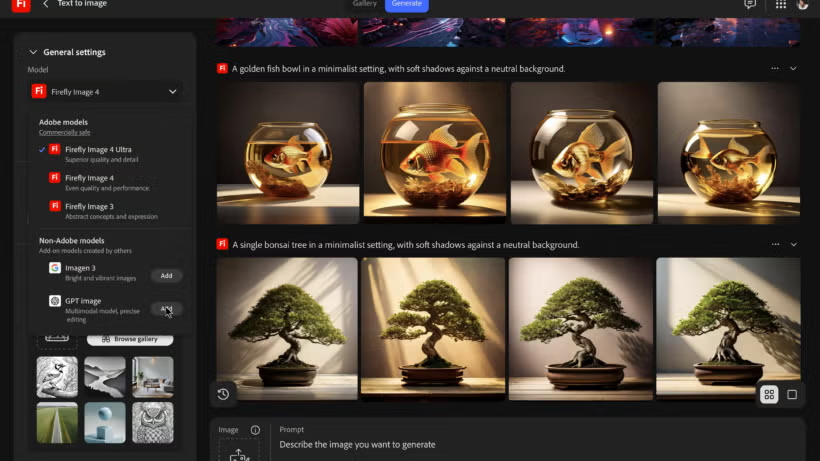
Transparency is another focal point: users can switch between models and see exactly which one is being used. Additionally, all AI-generated content will include Content Credentials by default, identifying whether the work was created using Adobe or partner models. Creators can also add credentials manually and verify their identity, a subtle but important step toward addressing ethical concerns around digital provenance.
Photoshop saw upgrades like Composition Reference, which lets users guide image generation with layout templates, and Select Details, which simplifies object selection. Adjust Colours now offers quicker control over hue, saturation, and lightness, while the Actions panel has been redesigned for smarter workflow suggestions.

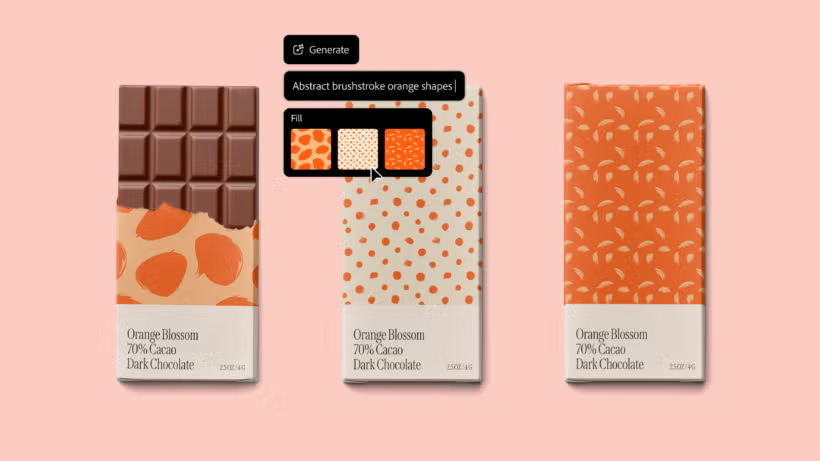
Illustrator gained new generative tools including Generative Shape Fill and Text to Pattern, aimed at helping designers create distinctive visual motifs faster. Performance improvements mean commonly used effects now run significantly faster, while menu interactions are more responsive overall.
Lightroom’s new Select Landscape tool uses AI to identify elements like foliage and water, enabling more precise editing. Sharing and Quick Action enhancements were also added to support collaborative and rapid workflows.
InDesign updates include a Firefly-powered Generative Fill feature for turning text prompts into vector-style artwork, as well as Math Expressions for laying out complex equations and smoother PDF import capabilities.
Premiere Pro introduced Generative Extend, which supports both 4K and vertical formats, giving editors more flexibility with scene expansion. Caption Translation now covers 27 languages, and Media Intelligence helps sift through large video libraries more efficiently.
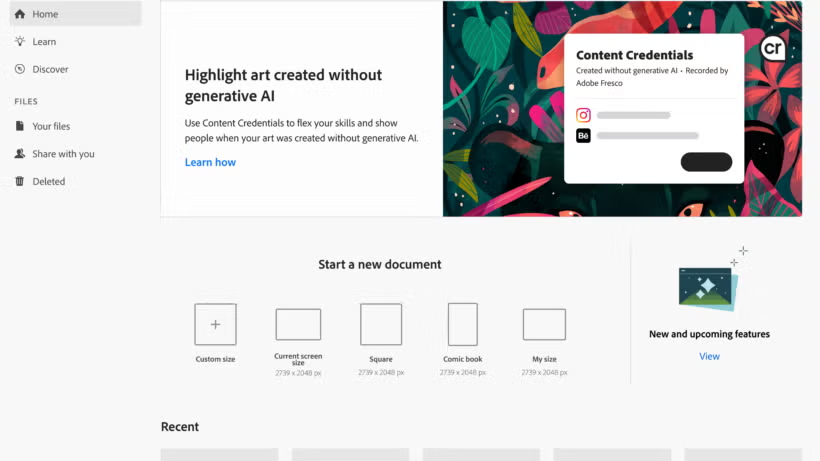
Fresco introduced a “Created Without Generative AI” tag—useful for artists who want to distinguish their manual work from AI-generated content. This label can be included in the Content Credentials at export.
Adobe Express received some of the most practical upgrades for everyday creators, particularly in video editing. Features like Clip Maker, Dynamic Animation, and Enhance Speech are geared toward fast, shareable content. New AI tools, including Generate Video and Generate Similar, help users produce consistent asset collections with minimal effort.
Collectively, these updates reflect Adobe’s evolving role as both a creative platform and an AI curator. The company is leaning heavily into generative tools, but with an emphasis on user control, commercial viability, and attribution. Whether that balance resonates with long-time professionals or newer content creators remains to be seen, but Adobe’s direction is clear: AI is no longer just a feature—it’s foundational to the future of creative software.