Opera is rolling out a substantial update to its Opera One browser with the release of version R3, continuing the company’s effort to differentiate itself through interface experimentation rather than raw performance claims. The update builds on the modular design language introduced last year and focuses on practical changes to tab management, multitasking, and how artificial intelligence is integrated into everyday browsing.
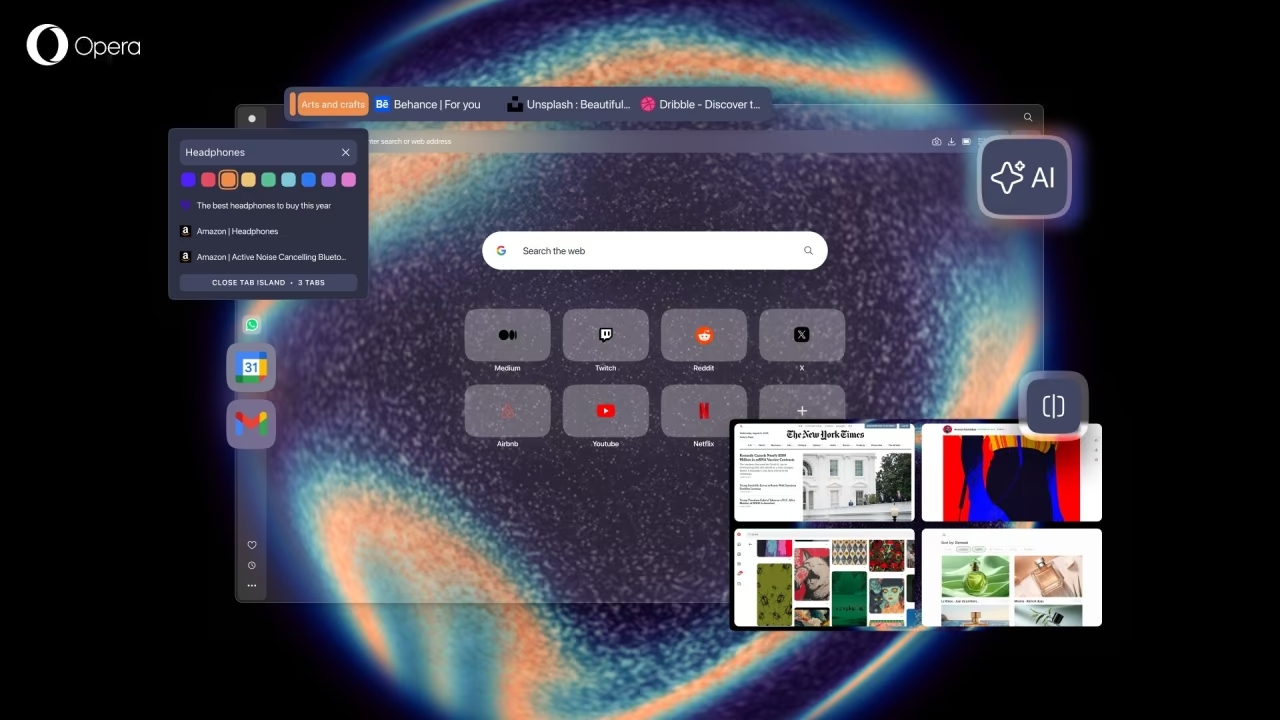
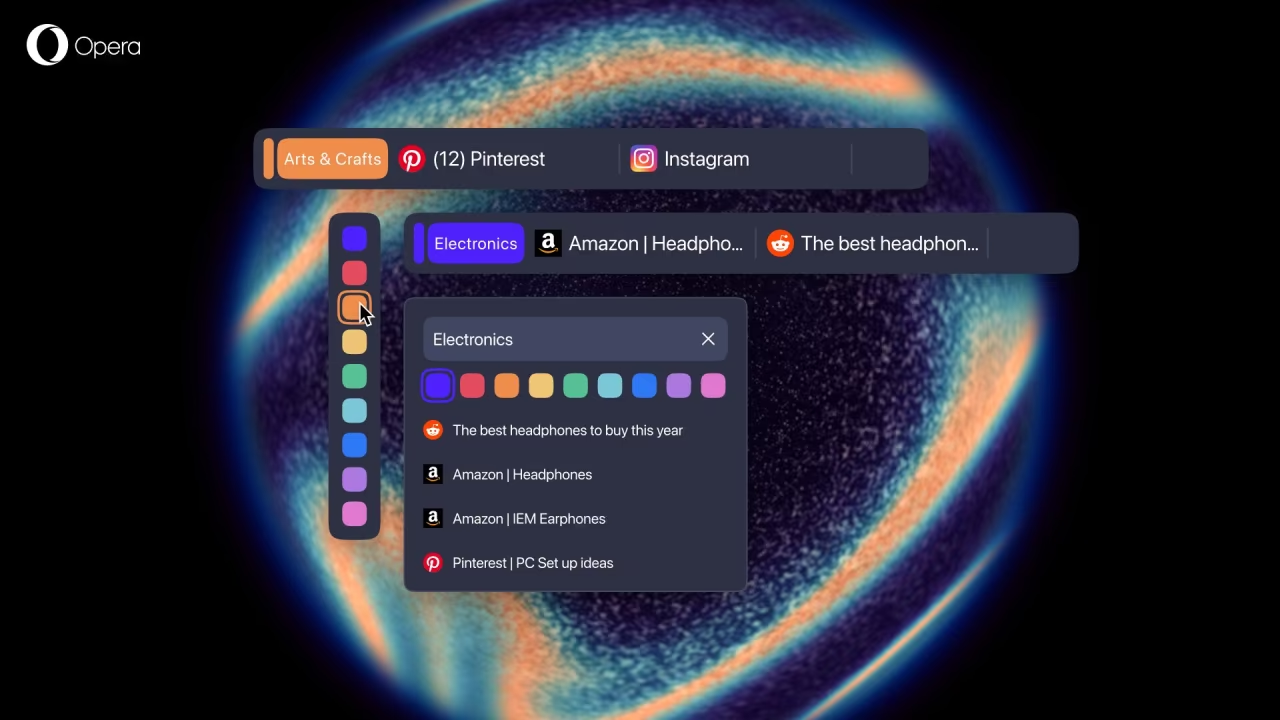
At the center of the update is an expansion of Opera’s Tab Islands concept. These automatically generated tab groups are now easier to distinguish and manage, with users able to assign custom names and colors to each island. The goal is less about novelty and more about reducing friction for people who regularly juggle dozens of tabs at once. By allowing quick visual identification of different browsing contexts, Opera is attempting to address a long-standing usability issue without forcing users into manual tab sorting systems.
R3 also includes a rebuilt browser AI experience. Opera says the assistant now runs on an agent-style engine derived from its experimental work on Opera Neon, with responses that are modestly faster than before. More importantly, the assistant can now reference the active tab or an entire Tab Island when answering questions, making it more context-aware than previous iterations. The AI interface has been moved into a dedicated side panel, accessible via a new button in the top-right corner, which keeps conversations visible without blocking the page you’re working on. This places Opera more directly in competition with browser-level AI tools emerging from companies like Google and OpenAI.
For users working on large monitors, Opera One R3 expands its Split Screen feature beyond two tabs. Up to four tabs can now be arranged in a grid within a single window, allowing side-by-side comparisons, research workflows, or writing tasks without relying on external window management tools. While clearly aimed at power users, the feature is optional and does not interfere with standard browsing for those who don’t need it.
The browser’s sidebar has also been updated with native access to Google services like Gmail and Calendar, reducing the need for pinned tabs. Additional refinements include updates to Easy Files, a toolbar shortcut for the built-in music player, and a new webpage translation feature. Separately, Opera is changing how it handles experimental features by introducing an “Early Bird” toggle in settings. This move will eventually replace the standalone Opera Beta browser, which is set to be discontinued in January 2026.
Opera One R3 is available now on macOS, Windows, and Linux, and reflects a broader attempt by Opera to evolve the browser as a flexible workspace rather than just a portal to the web.