

The Archer AX11000 is TP-Link’s latest gaming router. Full of specs, features and antennae to fill all your Wi-Fi (and non-Wi-Fi) desires.
Here I review the Archer AX11000, which is targeted towards gamers and power users.
Design and Build
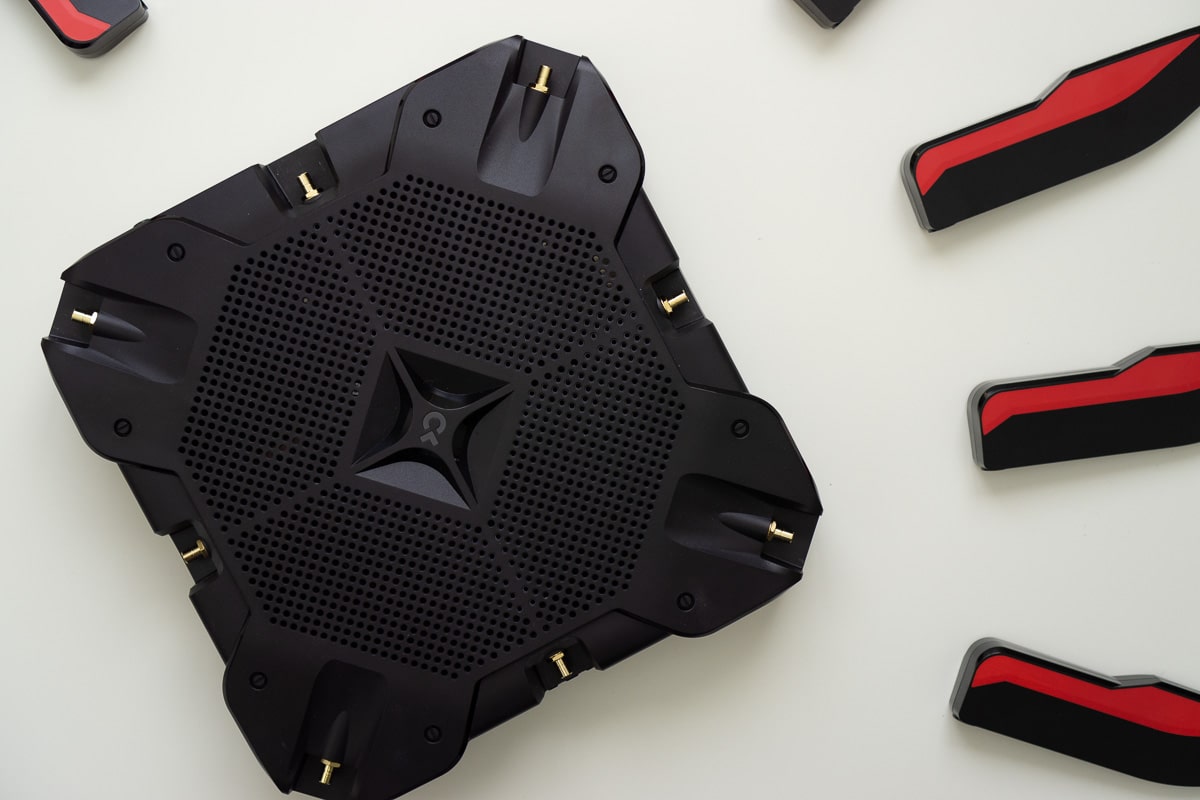
The pictures will show you that this is quite an interesting design for a router. If you are a gamer, chances are you like to show off your devices with a bit of flair. In that department the AX11000 is not lacking at all.
With a boat load of antennae, a red and black design and a very beefy footprint (on the table and vertically) this router will likely be a centerpiece.


The most prominent thing is obviously the antenna. There are 8 of them and are fixed in place, i.e. you can’t bend or articulate at all. That last bit is an oversight, I would like to be able to move the antennae. It shouldn’t come as a surprise though as its the case with the older generations of the Archer line.
On the top of the router you have the TP-Link logo which is the LED indicator that shows the status of the router.
On the front you get 3 buttons and in the back is where all the business happens. You also get two USB ports on the side.
If you have an understated setup, then this is not the right choice.
Personally I like the look of this router as its got a clear focus towards the more flashy setup. I think they missed out an opportunity to really bling it out with some LEDs.
Features & Performance
True to the Archer range from TP-Link the AX11000 is also packed with features.
- Wi-Fi 6 (802.11ax)
- 8 gigabit ethernet ports (In addition to the WAN port)
- Easy mobile setup via the TP-Link App
- USB-C and USB-A ports
- 2.4Ghz and 2 x 5 Ghz Tri-band wifi
- Guest Wifi for each band
- Remote Management
Doing a quick iperf test, we got a speed of 5.5 Gbps on the 5GHz band for LAN.
For an internet speed test I got a speed of about 550Mbps download and about 198Mbps upload on the 5Ghz band, while a 132Mbps download and 128Mbps upload on the 2.4Ghz band.
Overall the performance and speeds were as you would expect.


My own internet speed test was pretty great, it was as expected. Meaning that I would be able to maximise the output of my internet package.
The range of this router is also good. For the 2.4Ghz band you get decent range even through one layer of wall. For the 5Ghz band you would expect performance to be best with a direct line of sight, and once again in an open room it’s great.
Setup and App
In the box you get the following:
- The router base
- The 8 antennae
- Wall Adapter
- A small Cat5e cable
The package itself is more than enough to get you started. All you need is power, the WAN box and a smartphone. Some assembly is required, but it’s pretty straightforward.


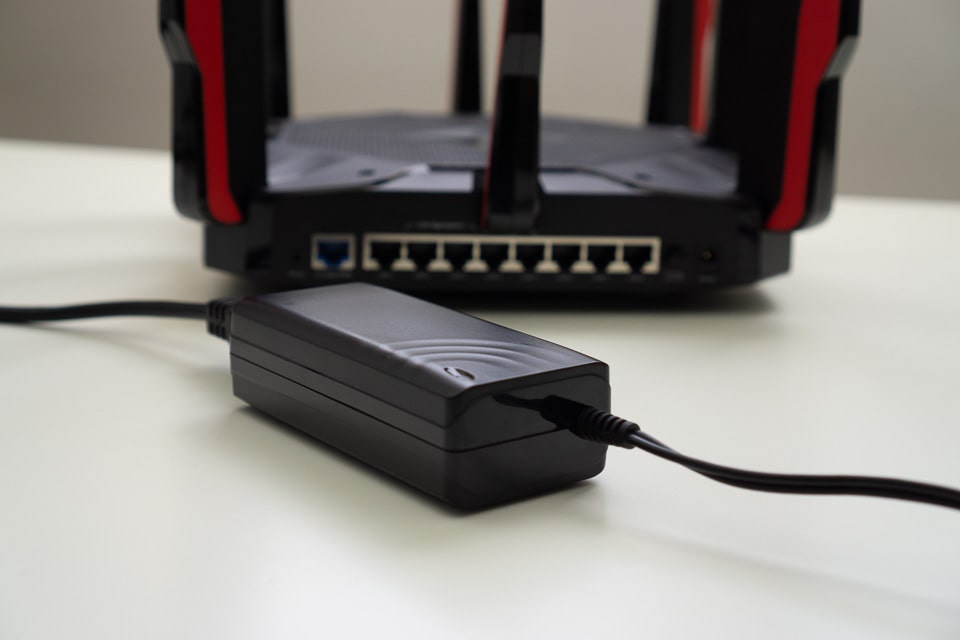
As with the other TP-Link routers, I dislike that they included a Cat5e cable. While it would be more than sufficient for most people; I have set-up my house to have Cat6 cables only and I would throw this thing out almost immediately. The only thing I have hooked up to Cat5e is more home automation stuff, and those are already plugged in.
This router uses the TP-Link Tether app to set it up. With the last TP-Link router I setup, it worked perfectly, but with this one something very strange happened. When I scanned the QR code, provided in the little quickstart guide, I was taken to a dead link. Not a great start. Anyway I went through the App Store and found the right app and I was on my way.
From this point on, it was a breeze. Even a seasoned home-network enthusiast will appreciate the simplicity involved in getting this router up and running.
From opening the box, assembling the router, plugging in and setup, it took me about 7 minutes. A little longer than I would have liked, but not bad all together.
The TP-Link App, while limited, still makes basic tasks quite simple to manage and setup. If you want more advanced options and capabilities, you can log-in to the router via a web browser on your laptop. As with my previous reviews, there is loads to go through so, suffice it to say, whatever you need, you can do it with the TP-Link Archer AX11000.
Here are some pictures of the web interface:


Final Points
Yes the AX11000 is a router packed to the brim. Fast Wi-Fi, Tri-Band, Guest Wi-Fi support, Easy and Advances setup/management options, loads of ethernet ports, good LAN speeds. It’s a win win.
A good option especially for gamers, providing the beefy aesthetics and features to boot.