TL;DR: iOS 26 is a futuristic, feel-good overhaul with visual flair and practical upgrades. Liquid Glass makes the iPhone feel alive, the Phone and Messages apps finally evolve, Photos regains its sanity, and AirPods get smarter. Apple Intelligence, however, feels half-baked and often more annoying than helpful. It’s not perfect, but it’s the most fun iOS has been in years.
iOS 26
I’ve been riding the iOS 26 wave since it splashed onto my iPhone, and calling it just an update feels like saying “Star Wars” is just a sci-fi movie. This is more like a galactic leap—the biggest visual and functional reboot the iPhone has seen in years. It’s sleek, ambitious, a little audacious—and totally addictive.
iOS 26 isn’t just about flashy design; it’s a new era of iPhone personality. If you’ve been coasting on iOS 18 or 19, you’ll feel like your phone just graduated from guitar lessons to shredding electric solos. Let me walk you through living in the world of Liquid Glass, intriguing UI tweaks, Messages turning into a playground, AirPods learning new tricks, Apple Intelligence showing up with mixed results, and a few bumps that keep it human.
Liquid Glass: Design That Feels Wet and Alive
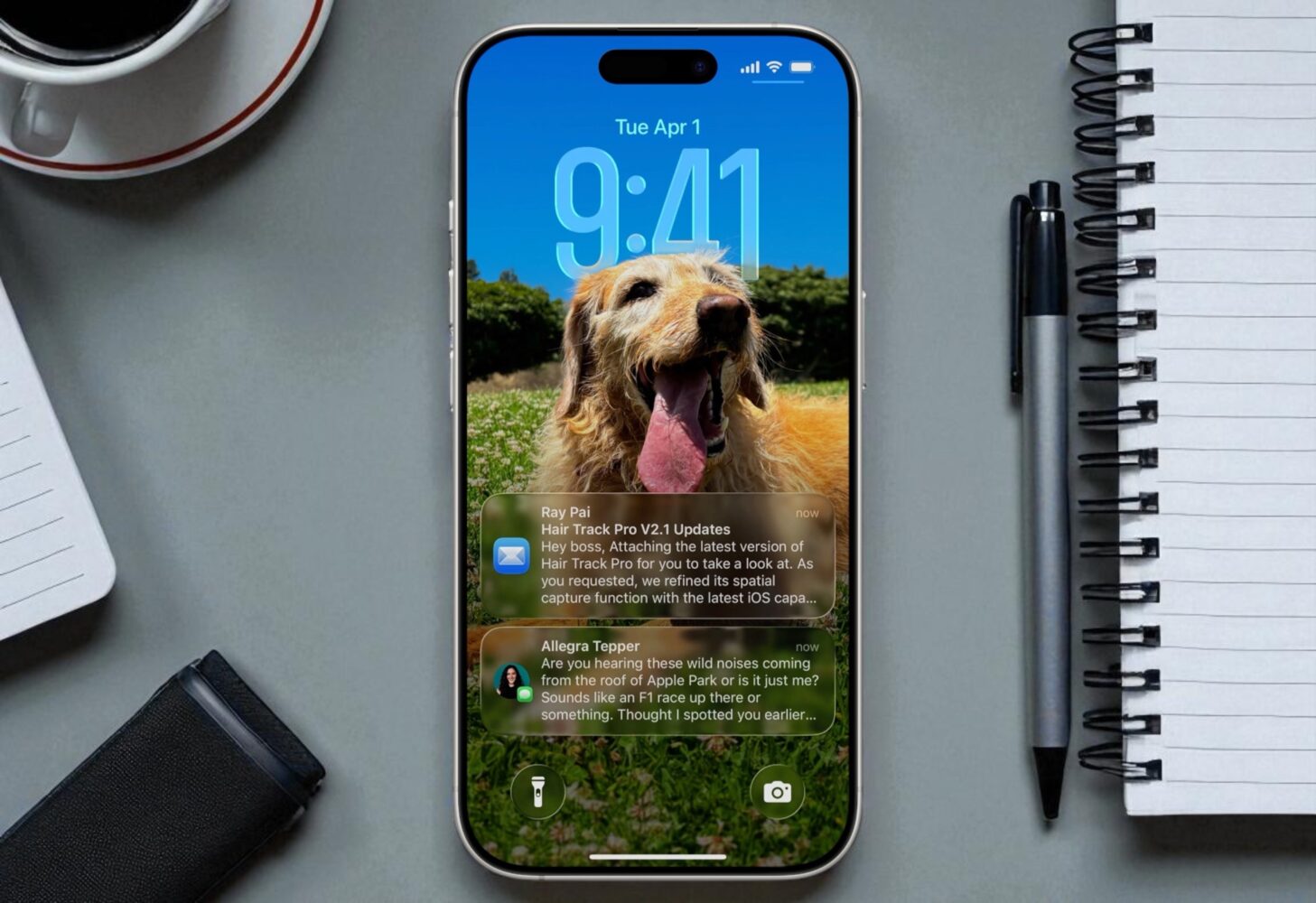
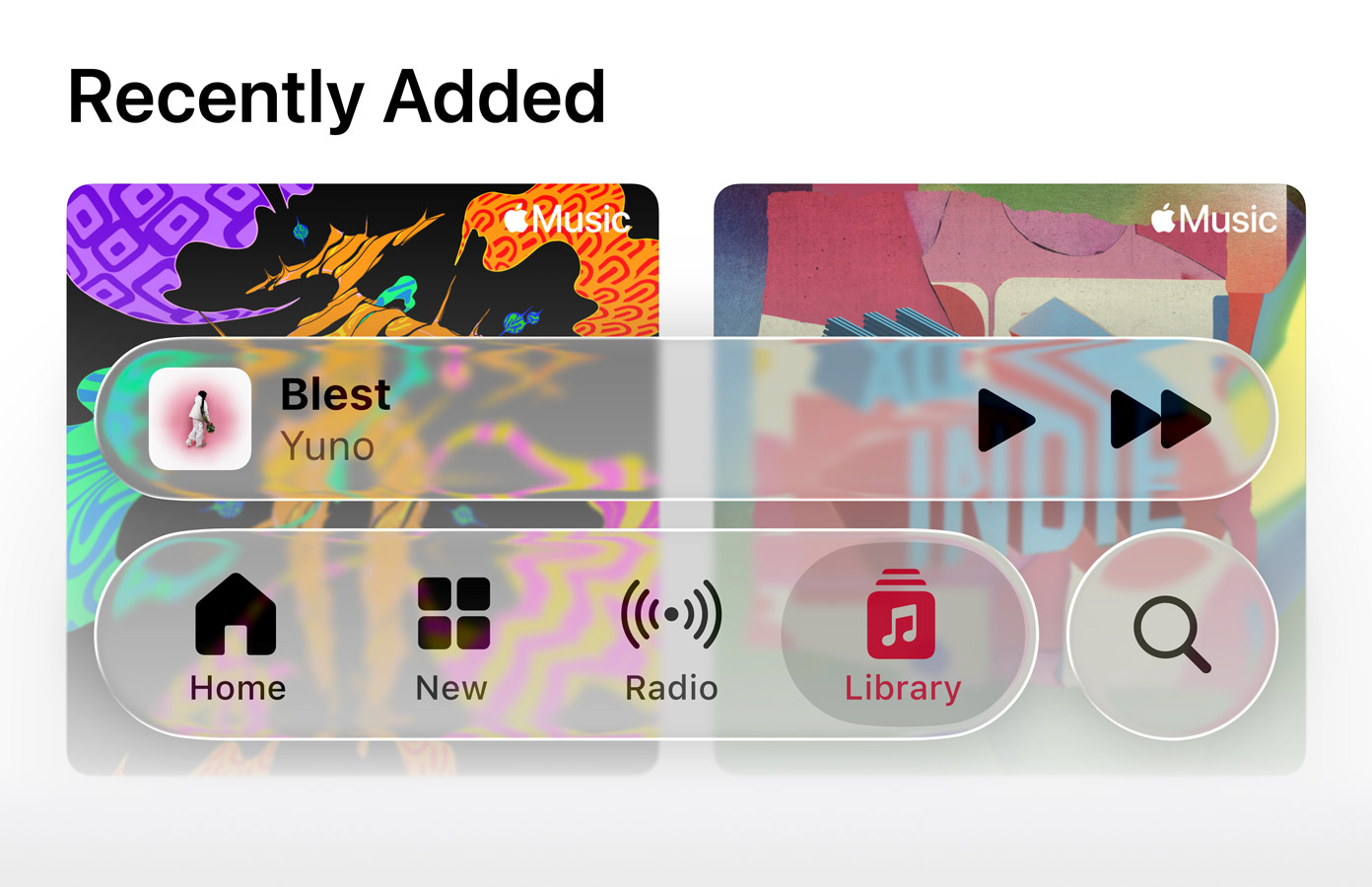
Liquid Glass is Apple’s big visual swing in iOS 26, and the effect is hard to miss. The entire OS now carries a rippling translucency—menus float with a shimmery glow, icons look like handcrafted glass tiles, and even widgets feel like they’re suspended above your wallpaper. It makes the phone feel more like a physical object than a flat slab of pixels.
On dark wallpapers, it’s stunning. The layering feels cinematic, like every menu and control has been given depth and weight. You can almost imagine your screen is carved from obsidian, glowing softly at the edges. On bright backgrounds, though, things get a little messier. Text and icons sometimes struggle for legibility, and there are moments where the entire aesthetic feels more frosted bathroom window than futuristic interface. Apple did clean up a lot of this after the beta feedback, but there are still occasional moments where form wins over function.
What saves it is personality. For the first time in years, the iPhone doesn’t feel sterile. It feels like it has style again. Rounded edges everywhere, shadows that shift with the light, buttons that look less like squares and more like melted marbles—it’s playful without being childish. The Lock Screen also gets a noticeable upgrade, with the clock dynamically adjusting its position so it doesn’t photobomb faces in your wallpaper. Subtle 3D parallax effects bring backgrounds to life when you tilt the phone, making static images feel like they’re breathing
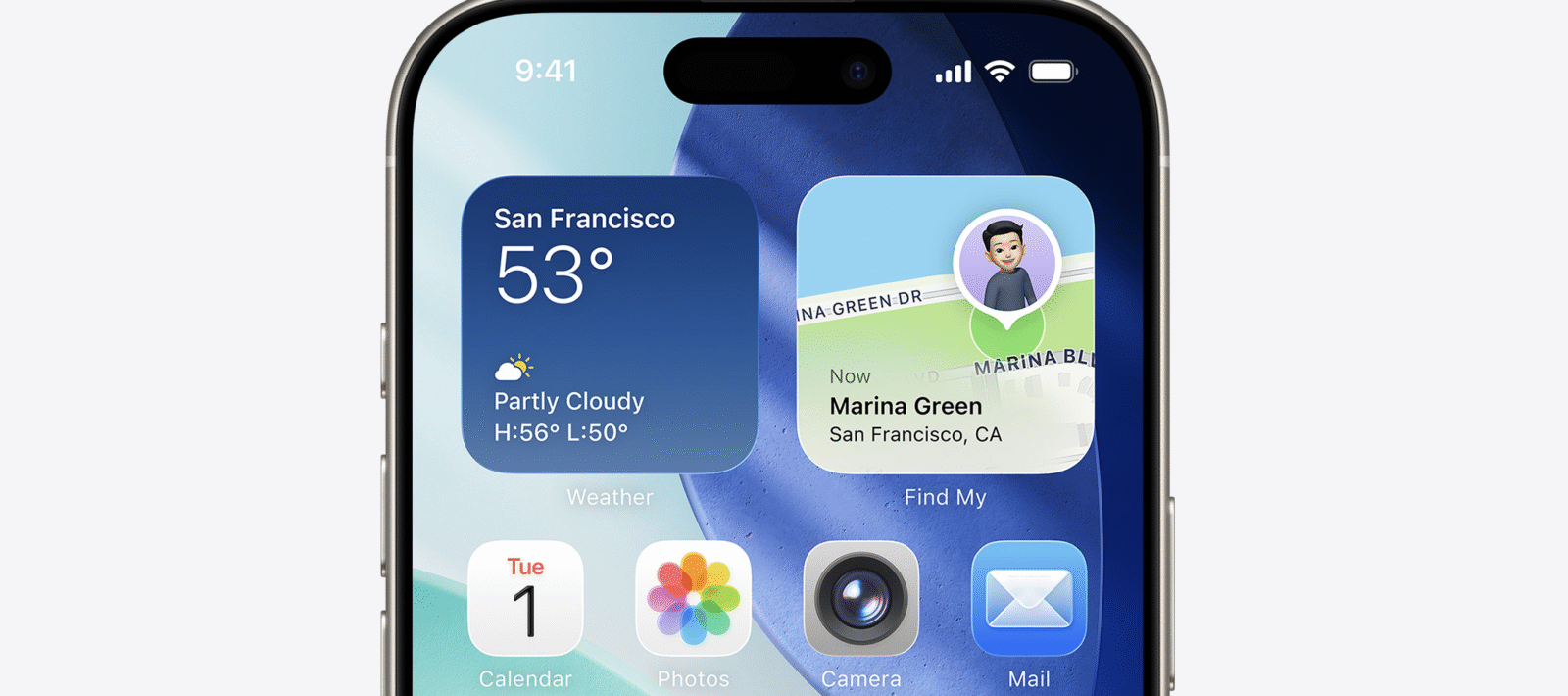
And personalization finally feels like more than swapping wallpapers. You can play with icon themes, adjust Control Center layouts, and tweak folders with new tints. For years, iOS lagged behind Android in letting users express themselves. iOS 26 doesn’t close the gap entirely, but it’s a big step toward letting me feel like my phone looks like my phone, not the same default canvas as everyone else’s.
Phone App Gets a Glow-Up
Apple has finally remembered that the iPhone is, well, a phone. The Phone app in iOS 26 feels like it’s been rebuilt for the modern world. Favorites, recents, and voicemails live in one unified view that feels clean and functional instead of dated. Call screening now saves me from picking up mystery numbers—my phone politely asks who’s calling and lets me decide if I even want to engage. It’s the kind of basic but crucial feature that makes me wonder how I ever lived without it.
Hold Assist is a gem. Instead of sitting on a call with elevator music blasting in my ear, I can park the call and let the system ping me when the other side comes back. Haptic feedback makes answering calls feel more tactile too—I actually know when someone picks up instead of waiting for that awkward “hello? hello?” moment. It’s the little quality-of-life changes that add up and make everyday tasks smoother.
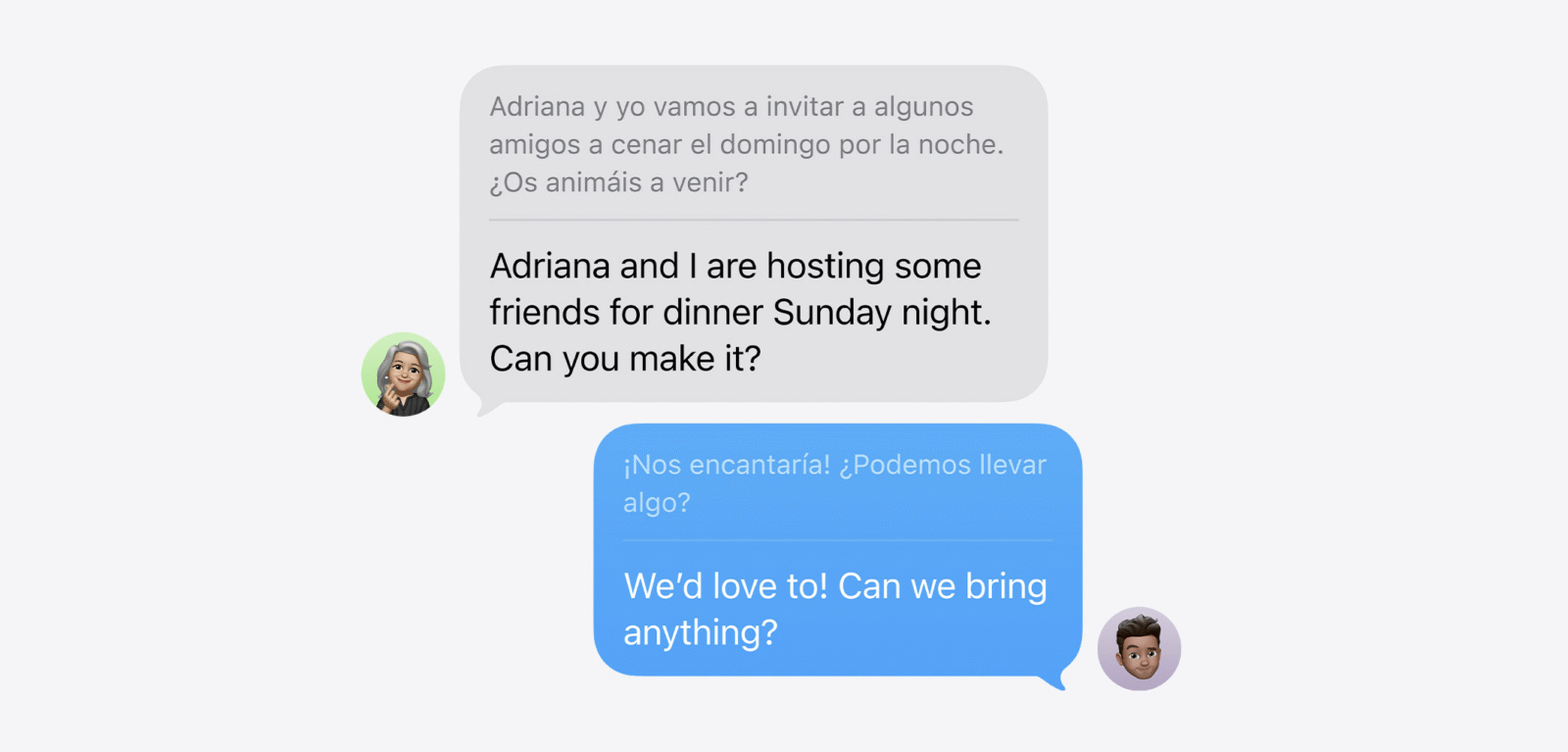
And while it’s subtle, the UI of the Phone app feels slicker. The visual polish matches the Liquid Glass vibe across the rest of iOS 26, making even a boring call feel a little more futuristic. It’s not revolutionary, but it’s one of those updates that makes you wonder why the app was left to rot for so long.
Messages: Polls, Backgrounds, and New Energy
If there’s one app that defines daily iPhone life, it’s Messages. And in iOS 26, Messages finally feels fun again. Group chats are no longer just endless streams of text—they’re interactive spaces. I can drop a quick poll into a conversation to settle dinner plans or vote on a movie. It’s simple, fast, and eliminates the need for clunky third-party apps.
Custom chat backgrounds are another delightful surprise. Each conversation can now feel unique, whether it’s pastel tones for a family group or neon chaos for friends. It’s not game-changing, but it makes Messages feel personal. For the first time in years, I don’t feel like I’m typing in the same bland blue-and-grey bubble factory.
Apple Cash integration is smoother too. Splitting a bill or sending money during a conversation is seamless. It’s the kind of thing that sounds small until you use it once, then wonder why it wasn’t always this easy. And the unknown sender filter is a blessing—no more scrolling through spammy texts mixed with real conversations. They get quarantined in their own space, leaving Messages cleaner and saner.
Between polls, backgrounds, cash, and cleaner filtering, Messages has evolved from a plain chat app into something that feels alive, expressive, and practical all at once.
Photos App: A Familiar Friend Returns
For years, the Photos app seemed like it was trying too hard to reinvent how we browse pictures, and it lost the straightforward simplicity that made it great. iOS 26 corrects course. The return of tabbed navigation—Library, Collections, and more—brings back the familiar structure that longtime users missed. Browsing my photo library no longer feels like spelunking through hidden menus. It’s direct, obvious, and intuitive.
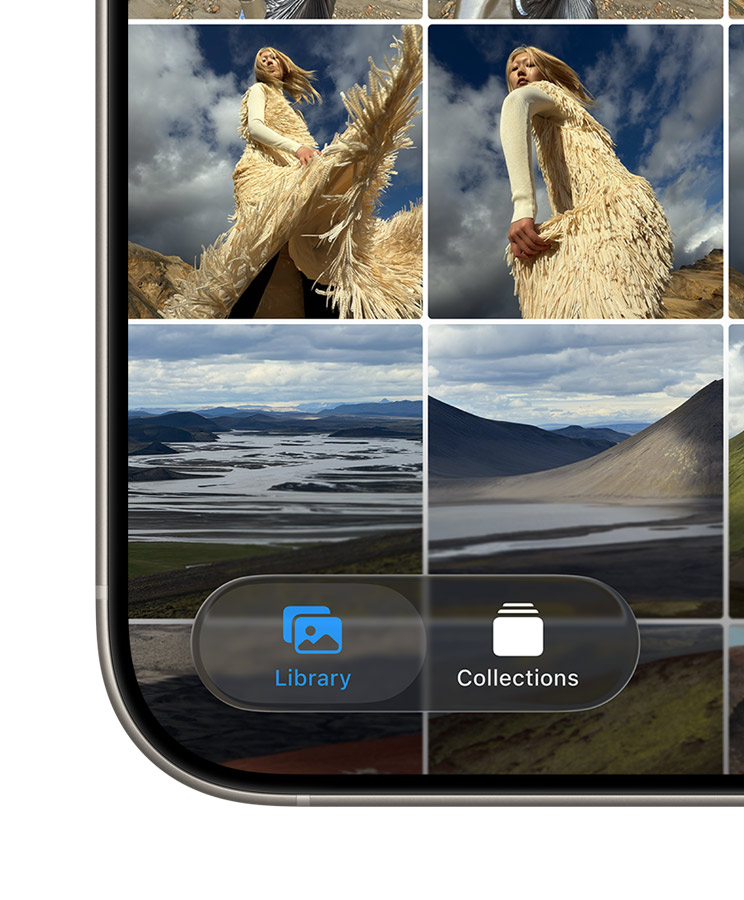
This isn’t just nostalgia talking. The streamlined layout makes Photos faster to use. Collections are smarter at grouping events and moments, surfacing the pictures I actually want without burying them. And the whole app feels cleaner, faster, and more responsive. It’s not flashy, but it’s one of those fixes that restores sanity to an app you open dozens of times a week.
AirPods and CarPlay: Everyday Magic
AirPods owners get a serious treat in iOS 26. With H2 chip models, tapping the stem now doubles as a camera remote. I can set my phone up for a group shot and snap it with a tap on my earbud. It works with third-party camera apps too, which is a rare but welcome nod to openness from Apple.
Call quality also sees a bump. Recordings and calls sound clearer, more natural, less tinny. There’s even smart sleep detection now—if I start nodding off during a podcast, audio gently pauses, sparing me the pain of waking up halfway through an episode with no clue where I left off. Charging indicators are clearer too, making it easier to know if my AirPods are juicing up or just sitting idle.
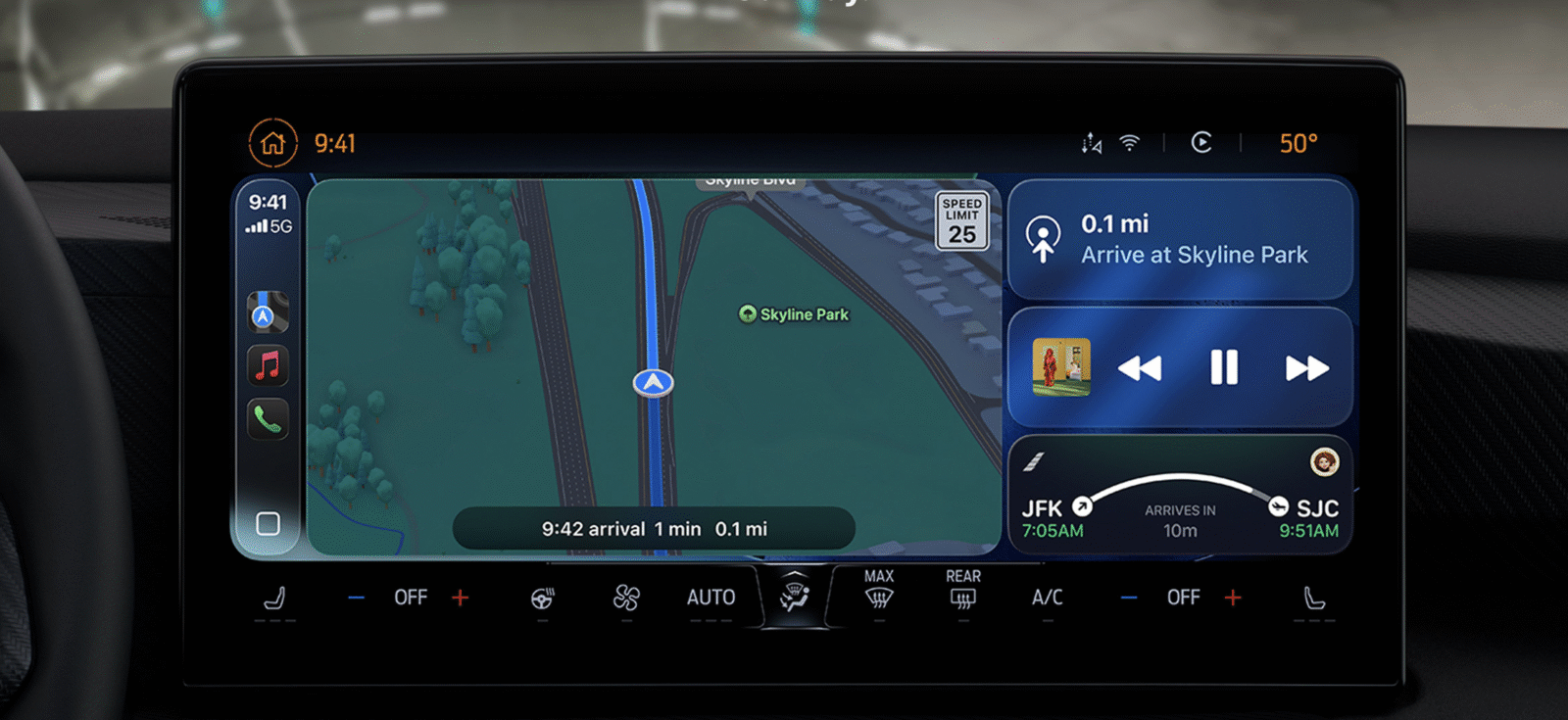
CarPlay also benefits from iOS 26. Live Activities make the leap to the car dashboard, so I can track messages, navigation updates, or ongoing tasks without juggling my phone. Tapbacks finally sync cleanly in CarPlay, which makes quick responses safer and more natural when driving. It’s still CarPlay—functional but a little restrained—but these tweaks go a long way toward making it feel less static.
Apple Intelligence: A Work in Progress
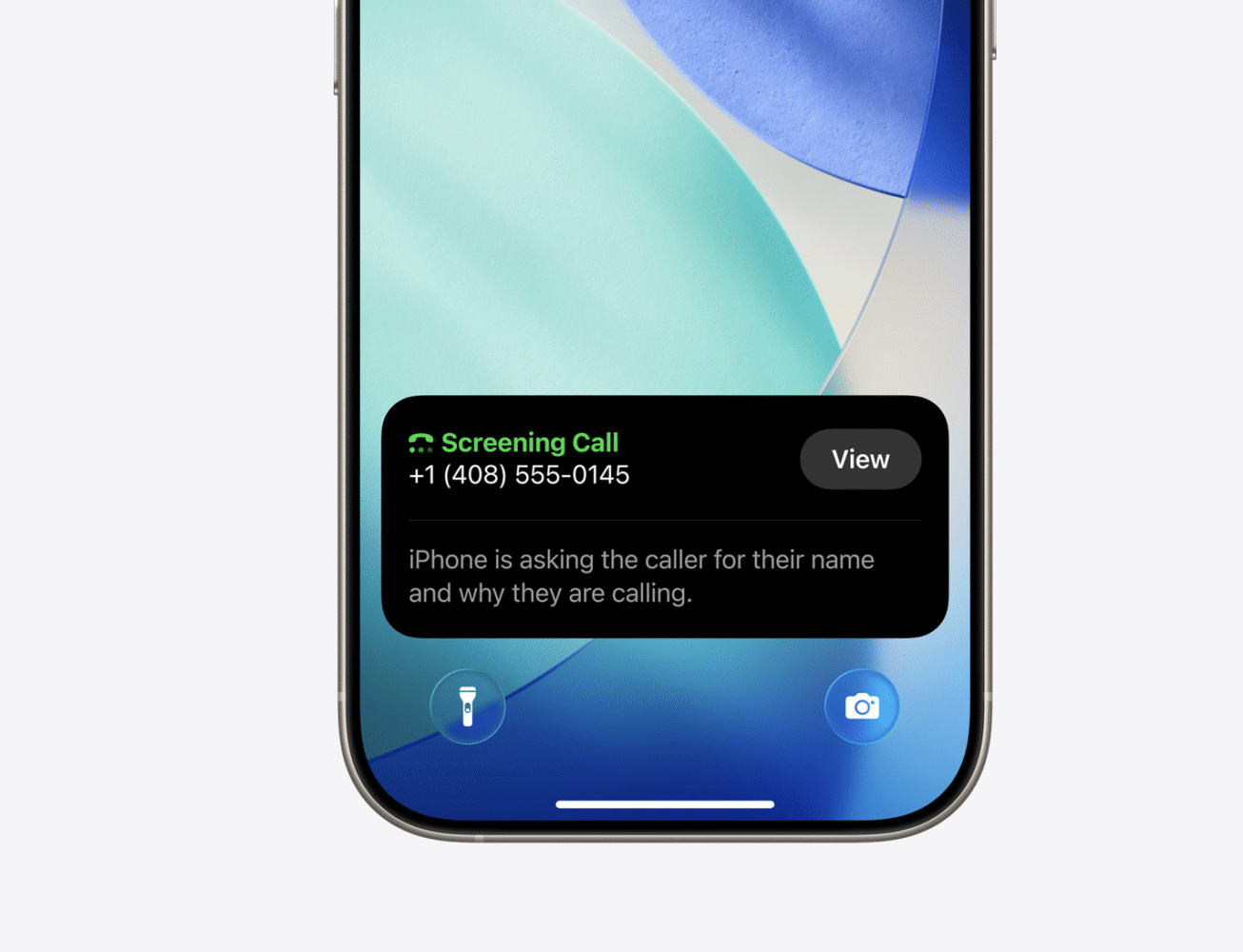
Apple Intelligence comes in big in OS 26, and it’s clear Apple wants it to be a headline feature. In practice though, it feels more like a cautious first step than a fully baked revolution. The idea is solid: contextual suggestions, smarter interactions, and even real-time translations during calls. Some of these genuinely shine — the translation tool, when it’s running smoothly, is impressive, and turning screenshots into actionable items can be surprisingly useful.
But not every part of Apple Intelligence lands yet. It occasionally offers suggestions that miss the mark, or nudges me toward shortcuts I wouldn’t actually use. Sometimes it overcomplicates things that I could do faster the old-fashioned way. It’s not bad, but it’s not transformative either.
So yes, Apple Intelligence is present throughout iOS 26, but it doesn’t define the experience. It’s not annoying, but it’s also not the thing I’m raving about to friends. More than anything, it feels like groundwork for something that will mature in the next year or two.
Bumps in the Road
No iOS release is perfect, and 26 is no exception. Liquid Glass, for all its beauty, sometimes overdoes it. On certain backgrounds, it becomes distracting or outright messy. There are also inconsistencies across apps—some adopt the design language fully, others feel like relics from older versions. The vision is bold, but the execution isn’t 100% unified yet.
Messages, for all its improvements, still feels a little underdeveloped compared to the likes of WhatsApp or Telegram. Polls are handy, but why not bring deeper integrations? Backgrounds are fun, but why stop there? It’s progress, but it feels like Apple dipped a toe into customization without fully committing.
And then there’s device support. iOS 26 leaves older phones behind. If you’re not on at least an iPhone 12, you’re out of luck. That’s the cost of progress, but it still stings for anyone holding onto beloved older devices. Apple’s hardware line marches forward, and the software is clearly marching with it.
Living in iOS 26: The Day-to-Day
What matters most isn’t the feature list—it’s the feel. And iOS 26 feels fresh. My iPhone has personality again. Swiping through apps isn’t just functional, it’s enjoyable. Messages is lively, my Photos app is easier to live in, and AirPods integrate more seamlessly into daily life.
It’s these little touches—snapping a photo with a tap on my AirPods, screening a call without breaking focus, setting a goofy background for a group chat—that add up to a phone that feels new, alive, and worth the upgrade. For the first time in years, I’m not just using my iPhone. I’m playing with it again.
Final Verdict
iOS 26 is the boldest, most striking iPhone upgrade in years. It’s not just cosmetic—it’s a glassy, fluid rethink of the interface paired with small but powerful upgrades across core apps like Phone, Messages, and Photos. AirPods and CarPlay integrations make daily life smoother, and the system as a whole feels more expressive.
It’s not flawless. The glass aesthetic sometimes overreaches, Messages stops short of true reinvention, Apple Intelligence is more controversial than clever, and older devices are left behind. But for Apple, swinging big and mostly connecting, this is a win.