TL;DR: Apple Creator Studio bundles Apple’s best creative apps into one subscription and it’s a great value if you don’t already own them. Final Cut Pro gets smarter and faster, Logic Pro stays excellent, Pixelmator Pro on iPad is a big deal, and the iPad workflow finally feels legit. Subscriptions still sting, and Final Cut needs true Mac-iPad round-trip, but overall this is Apple’s strongest pro software moment in a long time.
Apple Creator Studio
Apple Creator Studio review is one of those phrases I didn’t expect to type with a straight face in 2026, but here we are. Apple finally did the thing: it took its crown-jewel creative apps, tossed them into a single subscription bundle, sprinkled in some “intelligent features” (their words, not mine), and called it Apple Creator Studio. On paper it reads like a very Apple move: sleek, expensive-looking, and slightly confusing until you realize it’s actually kind of a steal if you live in this world of timelines, layers, and late-night exports.
After spending the last couple of weeks running real projects through it, I’ve landed somewhere between pleasantly surprised and mildly annoyed in the way only Apple can inspire. Creator Studio is, broadly, a terrific value for most creative pros, indie creators, students, and small teams who don’t already own half of these apps. But it’s also a reminder that subscriptions are the industry’s emotional support blanket now, and apparently we all have to hug it whether we like it or not.
Apple Creator Studio as a bundle feels like Apple acknowledging what a lot of us have been shouting into the void: the iPad is not just a couch device, and Apple’s pro apps can’t survive on vibes and occasional updates. This subscription is them saying, “Okay, fine, we’ll feed the beasts regularly.” And honestly? The beasts are eating.
Apple Creator Studio bundle: what you actually get and why it matters
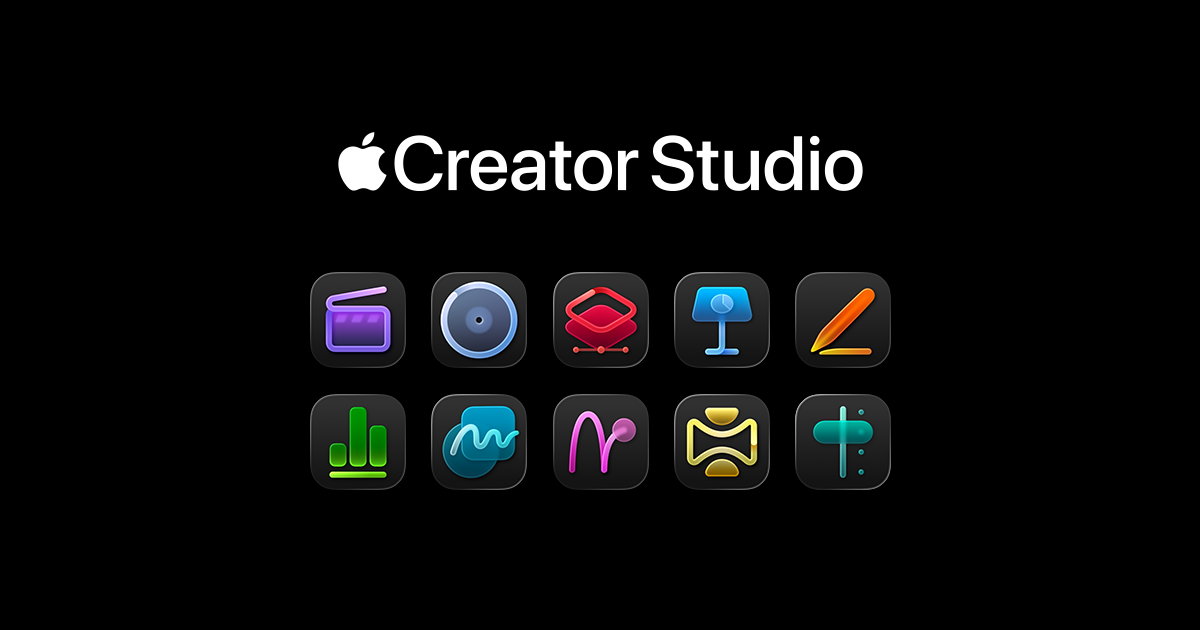
Let’s get the obvious out of the way: the sheer breadth of Apple Creator Studio is impressive. You’re getting Final Cut Pro, Logic Pro, Pixelmator Pro, Motion, Compressor, MainStage, plus Pages, Keynote, Numbers, and Freeform. That’s a weirdly wholesome lineup because it covers the entire modern creator loop: you cut the video, you design the thumbnail, you score the track, you build the deck, you invoice the client, you brainstorm the next idea, and somewhere in there you wonder why you didn’t become a baker.
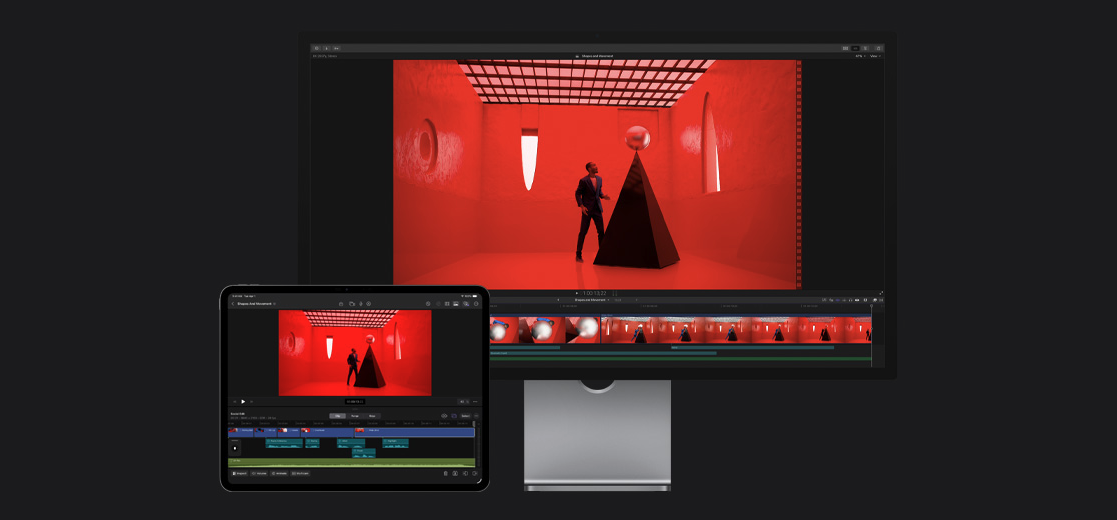
The key thing, though, is that Apple Creator Studio isn’t just “here are apps you can download.” The real story is that Apple is trying to make these apps talk to each other like they’re all part of the same family group chat. And for once, they kind of do.
Also: the iPad angle is not a side quest anymore. Final Cut Pro, Pixelmator Pro, and Logic Pro being available on both Mac and iPad under the same umbrella is the kind of ecosystem flex Apple has been building toward for years. If you’re the type who bounces between desk mode and coffee-shop mode (or airport-floor mode, the true creator lifestyle), this bundle is aimed directly at you.
Image alt-text: A creator editing video and photos on an iPad in a coffee shop, with external storage nearby.
But before we get too dreamy, the subscription model has a catch that matters: some iPad apps are subscription-only. Apple says one-time purchases are sticking around for now on Mac, and features will remain comparable for the time being, but the message is clear. If the iPad is your main machine, Apple Creator Studio is basically the ticket booth.
Final Cut Pro in Apple Creator Studio: the best reason to subscribe
If you edit video regularly, Final Cut Pro is the gravitational center of this whole Apple Creator Studio review. It’s still the fastest “get out of my way and let me finish” editor on Mac for a certain kind of creator: YouTube workhorses, short-form maniacs, small production teams, and people who don’t want to negotiate with their software every morning.
And yes, it’s also the app that has historically felt like Apple occasionally remembered it existed, patted it on the head, and went back to polishing the next iPhone color.
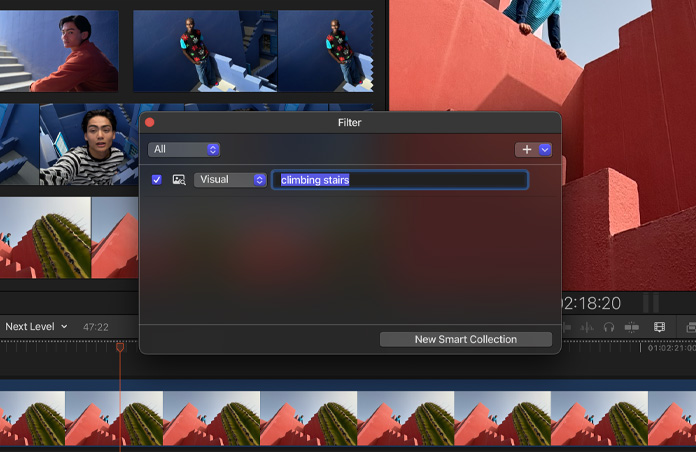
That’s what makes the Creator Studio era feel different. The new features aren’t just fluff; they’re the kind of workflow accelerators that you only appreciate when you’re drowning in footage. The enhanced clip search is the standout. Being able to search your library based on what’s in a clip or what’s said in a clip is the kind of feature that sounds like marketing until you’re trying to find that one moment from three hours of event coverage where someone said the line you need.
I used it the way real editors use search: half-remembered phrases, vague visual descriptions, pure desperation. And it worked. Quickly. The “fuzzy” transcript search in particular feels like someone at Apple has actually edited a project with too many talking-head takes and not enough time. When it hits, it’s magic. When it misses, it’s still better than manually skimming waveforms like it’s 2009.
Image alt-text: Final Cut Pro interface showing search options for transcript and visual content.
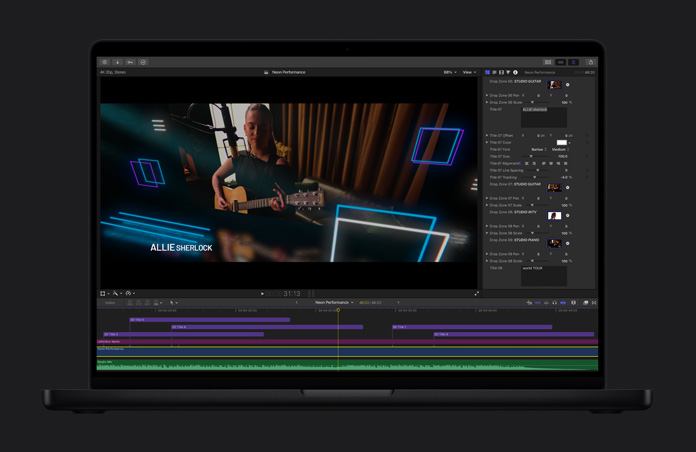
The other surprisingly useful addition is beat detection. If you’ve ever tried to make cuts land cleanly on music beats, you know it’s equal parts art and tiny little timeline nudges that make you question your life choices. Beat markers turning your timeline into a visual grid for rhythm? That’s not revolutionary, but it is deeply practical. It takes a fiddly, annoying step and makes it feel more like snapping Lego pieces together.
Image alt-text: Final Cut Pro timeline with beat detection markers aligned to an audio track.
And then there’s the quiet, nerdy delight of improved workflow between Final Cut Pro and Logic Pro. Sending a project into Logic, using session players to build something that feels less like a looping stock track, then dropping it back into your edit is the kind of integration that makes Apple’s “it just works” slogan feel briefly less like performance art.
Final Cut Pro on iPad: finally getting serious
The iPad version of Final Cut Pro has always felt like it was one breakthrough away from being a real, no-excuses tool. Creator Studio gets it closer.
The montage feature is basically Apple taking the “Memories” concept from Photos and saying, “What if that, but you’re allowed to actually control it like an adult?” You toss in clips, it builds a polished sequence, and then you can rip it apart and refine it with real editing tools. That’s the key. It’s not just auto-edit slop for casual users; it’s a fast first draft for people who know what they’re doing and don’t want to waste time building structure from scratch.
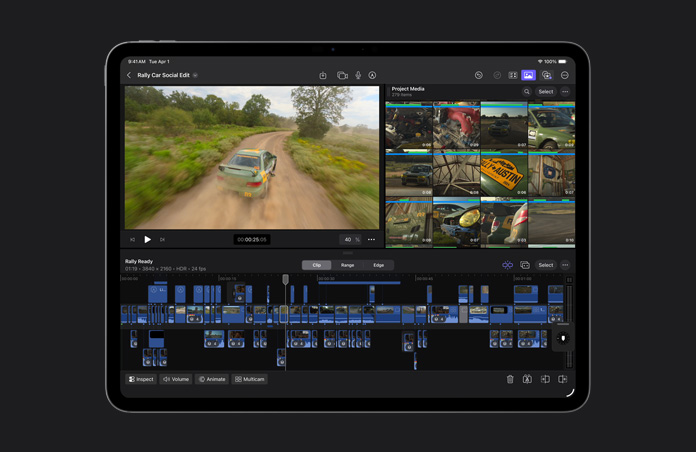
External monitor playback support is also one of those “how was this not already here” additions. Editing on an 11-inch iPad screen can feel like trying to paint a mural through a mail slot. Being able to throw the preview onto a larger display while keeping the timeline on the iPad immediately makes the whole setup feel more like a workstation and less like a compromise.
Image alt-text: iPad Final Cut Pro timeline on tablet with project preview playing on an external monitor.
But the real quality-of-life victory is background export. I cannot overstate how much psychological damage the old “you must stare at the export screen and do nothing else” workflow inflicted. Now it exports while you move on with your life, with progress shown like a normal modern platform should. That one change alone makes iPad Final Cut feel less like a neat demo and more like a tool you can actually trust under deadline pressure.
Image alt-text: iPad showing background export progress as a Live Activity while other apps are visible.
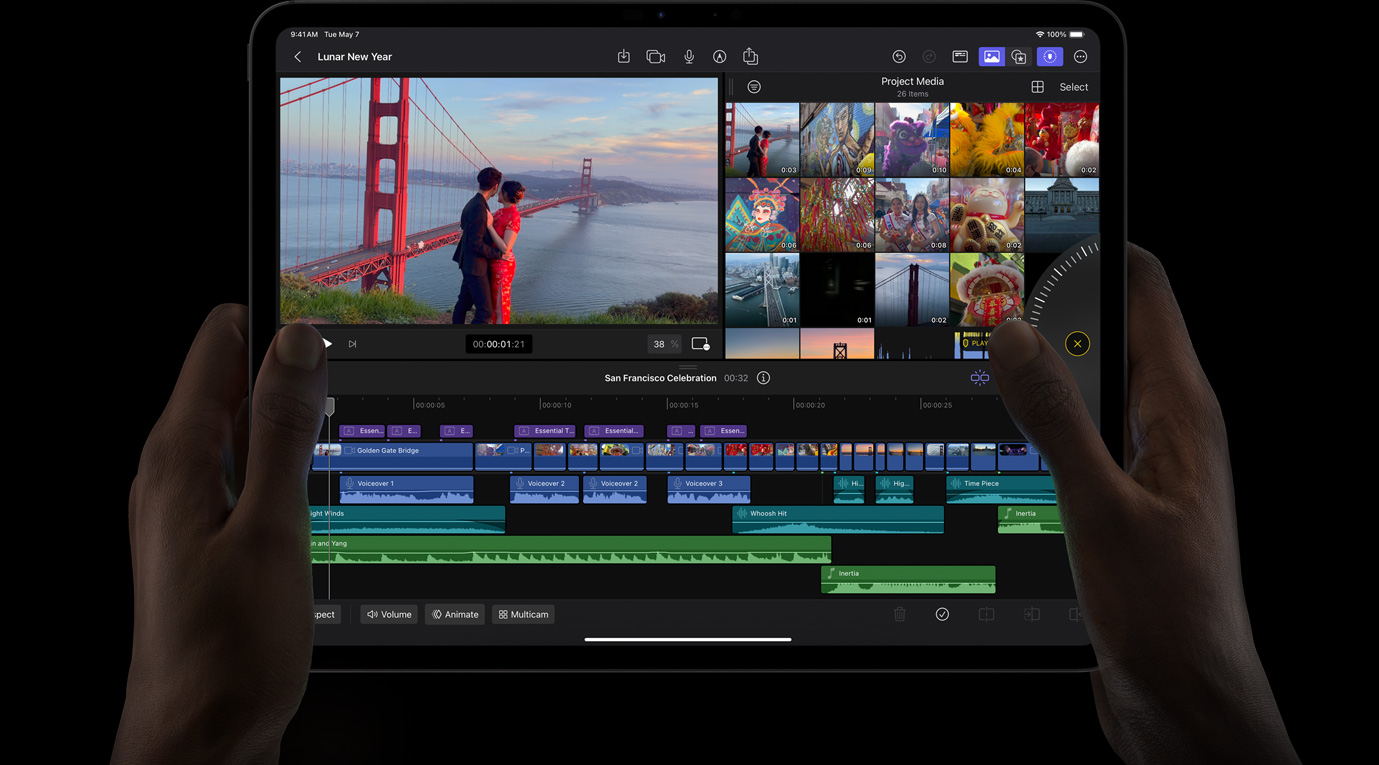
My one lingering frustration is the same one many editors will probably echo: true round-trip support between Mac and iPad still isn’t there for Final Cut Pro. Starting on iPad and finishing on Mac is fine. Needing to go the other way and being blocked is not fine. This is the exact moment where the “creator studio” dream should be at its strongest: start at your desk, pull the project onto your iPad, finish it on the road, come back, and continue like nothing happened. Apple can do it for Logic and Pixelmator. Final Cut is the holdout. It feels like an unfinished promise.
Pixelmator Pro: the sleeper hit of Apple Creator Studio
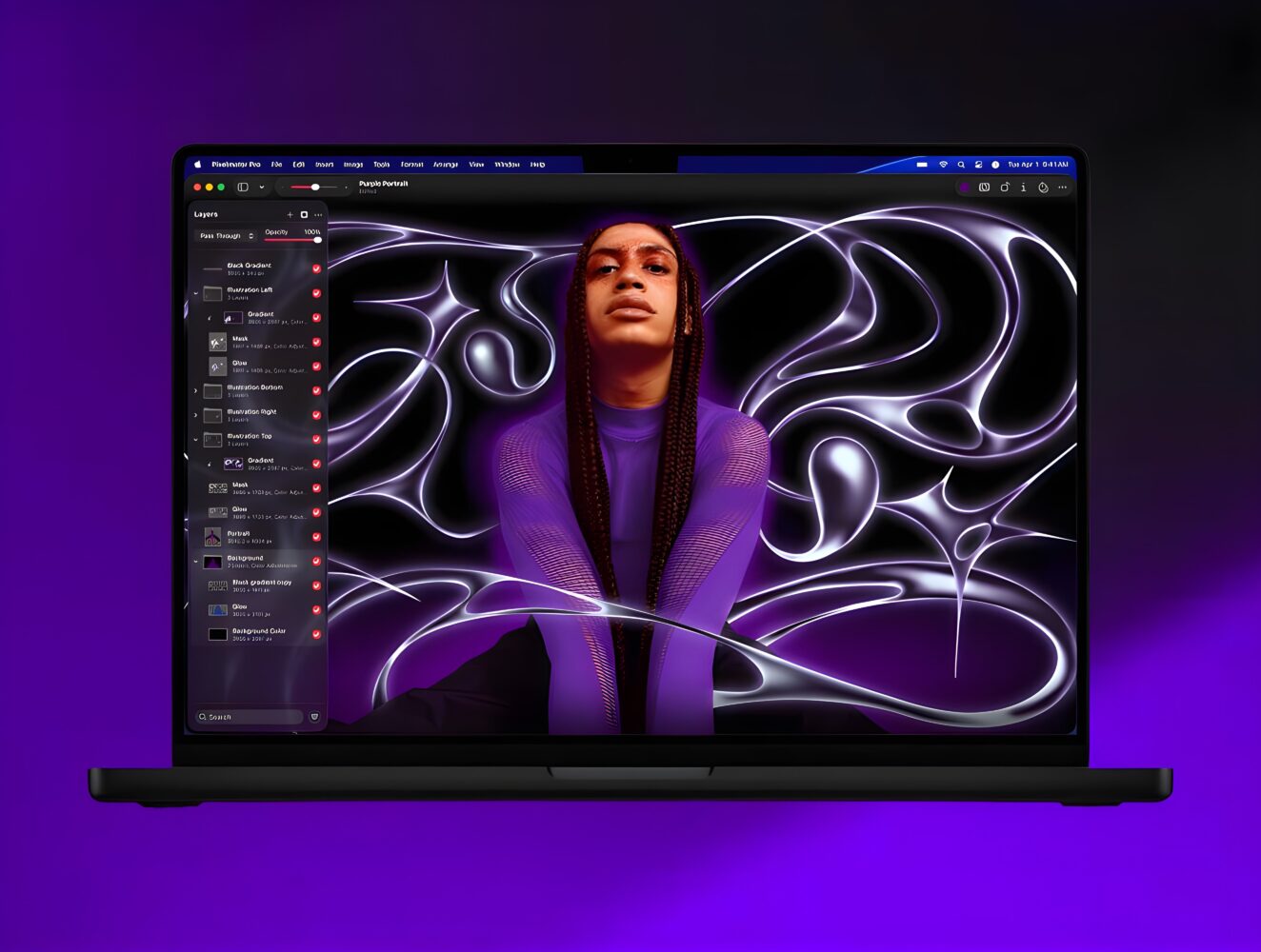
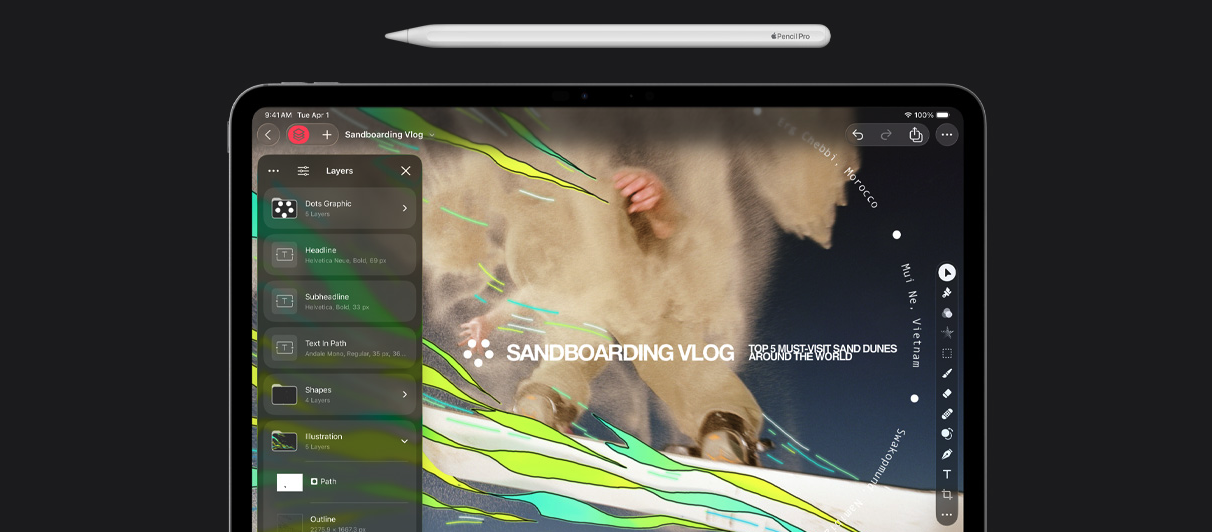
Pixelmator Pro becoming part of Apple Creator Studio is interesting for two reasons. First, it’s legitimately excellent: a friendly-but-powerful image editor that feels like it was designed by people who have seen Photoshop’s UI and politely decided to do better. Second, it’s now on iPad in a way that feels almost suspiciously complete for a first release.
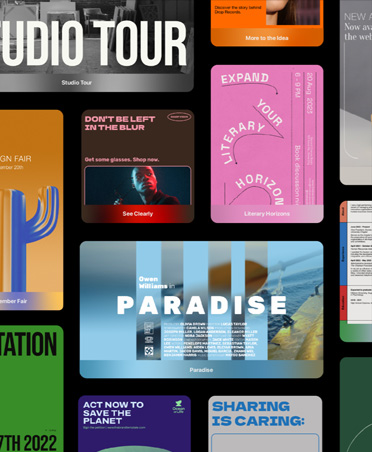
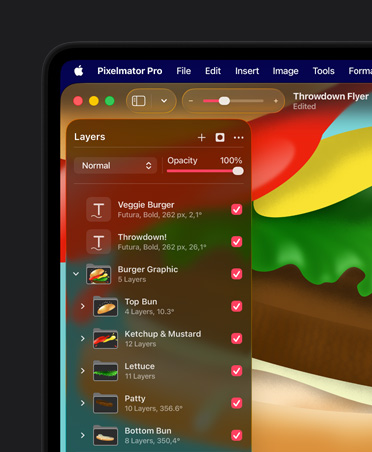
Pixelmator Pro has always hit that sweet spot for creators who want serious tools without paying the Adobe tax or signing a blood oath to a subscription. It’s approachable, fast on Apple silicon, and deep enough to handle real work. Layers, masks, blending modes, repair tools, templates for thumbnails and social posts—it’s the full kit.
What I love, genuinely, is how Pixelmator teaches without being condescending. On Mac, hovering over tools gives you little video previews of what they do. It’s such a simple idea, and it makes the app feel less like a cockpit and more like a studio. You don’t need a tutorial playlist just to start.
Image alt-text: Pixelmator Pro tool palette showing hover previews demonstrating edits.
In Creator Studio, Pixelmator gets new templates and mockups that are clearly aimed at modern creator economies: thumbnails, product shots, brand assets, merch vibes. The mockups are helpful, although a bit limited in variety in places. Still, the bigger point is that Apple is treating Pixelmator like a living product, not a museum piece.
The updated warp tool is another standout. Warping in 3D space around surfaces is exactly the kind of thing you don’t realize you need until you’re trying to make a label look right on a curved object or you’re faking a product render for a client who “just wants to see the concept.” It’s powerful in a way that feels pro, not gimmicky.
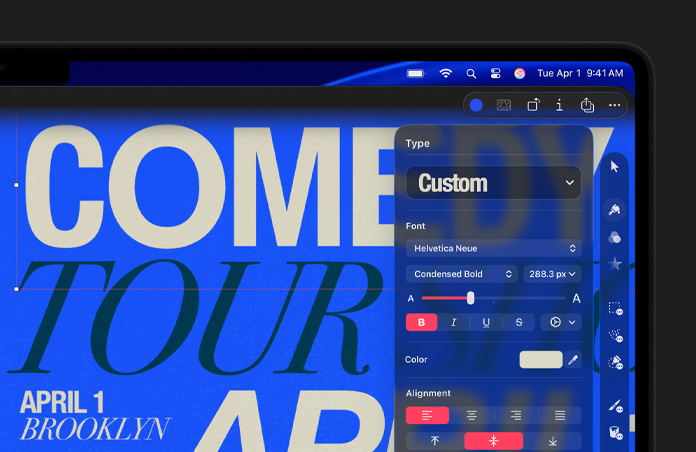
Image alt-text: Pixelmator Pro warp tool bending artwork to fit a soda can’s curved surface.
And on iPad, Pixelmator Pro feels like a serious attempt at feature parity. The layout mirrors the Mac app enough that your muscle memory carries over, and iCloud syncing makes bouncing between devices feel frictionless. Apple Pencil support is here too, though I wish it leaned harder into hover and squeeze the way some other iPad creative apps do. Right now it works, but it doesn’t feel like it’s showing off.
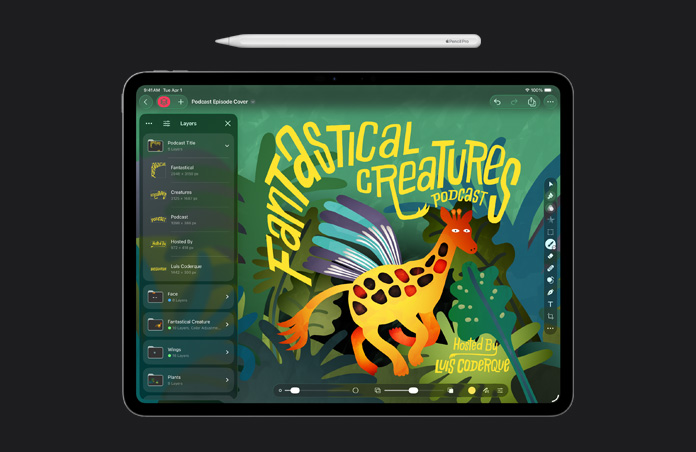
The most delightful surprise for me was how naturally it handled depth data from iPhone portrait shots. Editing foreground and background separately without jumping through hoops is the kind of ecosystem magic Apple should be doing more often. It’s not flashy. It’s just… right.
Image alt-text: Pixelmator Pro editing a portrait photo with separate foreground and background adjustments.
Logic Pro: quietly still the best musician friend you have
Logic Pro in Apple Creator Studio is the comforting constant. It’s already a monster of a music creation tool on Mac, and the iPad version has matured into something that doesn’t feel like a cut-down toy anymore.
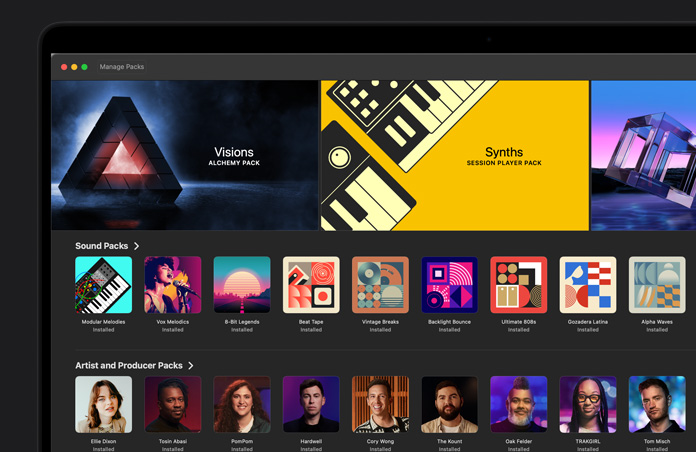
The new synth Session Player is a great addition because it leans into what Logic does best lately: giving creators intelligent musical scaffolding without replacing the human part. Session Players aren’t “make a song for me” buttons. They’re more like having a competent bandmate who can follow your structure and add texture without derailing the vibe.
Chord ID is another practical win. If you’ve recorded something and you’re not in the mood to manually identify chords (or you’re like me and you know just enough music theory to be dangerous), having the app figure it out locally saves time and keeps you in the creative flow.
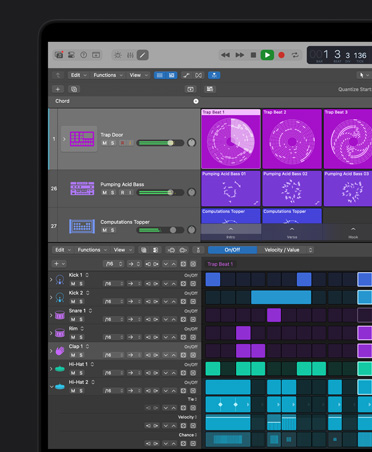
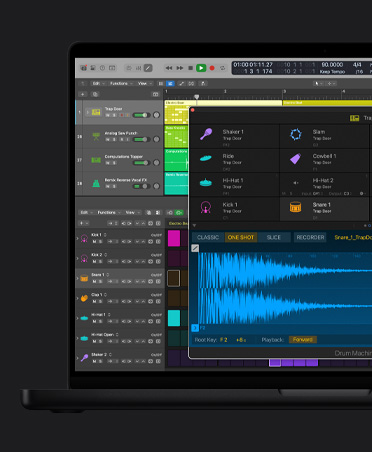
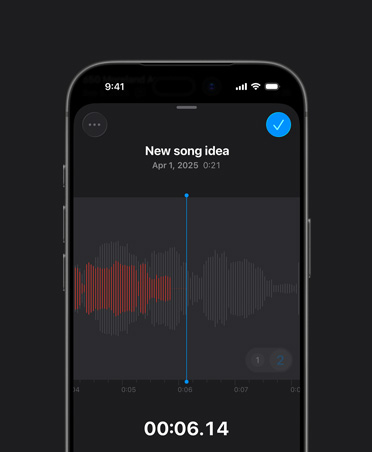
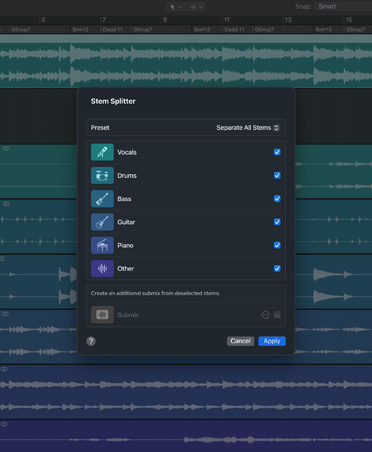
Image alt-text: Logic Pro showing chord identification and session player controls in a project timeline.
The real reason Logic shines in this bundle, though, is that it nails the device-handoff dream. Round-trip between Mac and iPad works in a way that makes you wonder why Final Cut Pro is still struggling. Logic projects move cleanly. You can sketch on iPad, refine on Mac, then go back again without feeling like you’re translating between two different languages.
Pages, Keynote, Numbers, Freeform: the odd but useful bonus
It’s funny seeing productivity apps inside something branded as “Creator Studio,” like Apple is quietly reminding us that creators also have to write scripts, build decks, track budgets, and pretend they understand spreadsheets.
The headline feature across Pages, Keynote, Numbers, and Freeform is Content Hub: a curated library of images, backgrounds, graphics, and shapes that’s actually more useful than I expected. I worried it would be sterile and limited, like stock content designed by committee. But there’s enough variety that it feels genuinely usable, including stuff that’s weird in a good way.
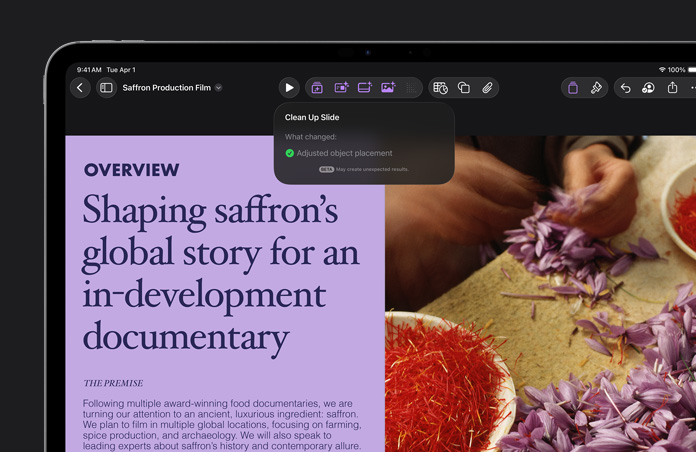
Image alt-text: Content Hub window showing categorized stock images and shapes, including a humorous cat photo.
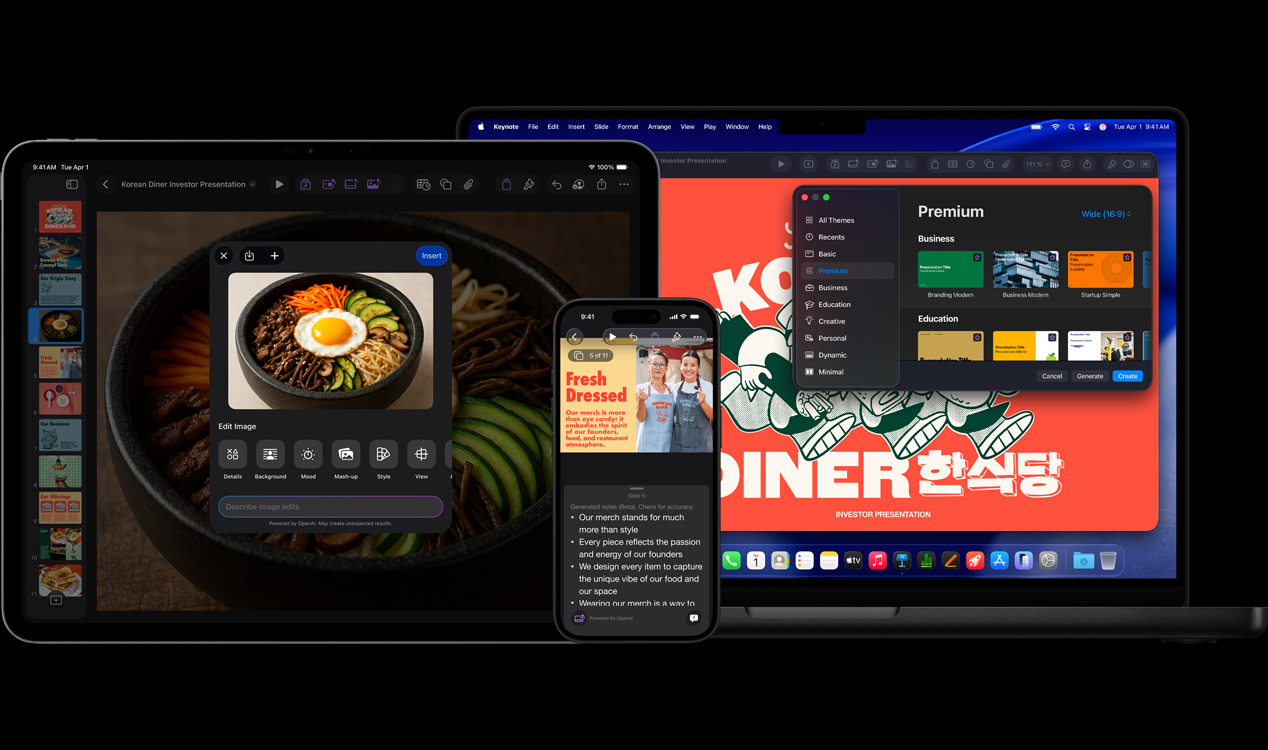
Keynote’s AI slide generation from an outline is also genuinely handy if you’ve ever had to turn rough notes into something presentable in less time than it takes to regret agreeing to the meeting. It’s not going to replace actual design work, but it builds a solid skeleton so you’re not staring at a blank slide deck like it personally insulted you.
Numbers’ pattern-based Magic Fill and formula generation is similarly practical. It’s not glamorous, but it’s the kind of feature that helps when your brain is in “creative mode” and you don’t want to context-switch into “spreadsheet wizard mode.”

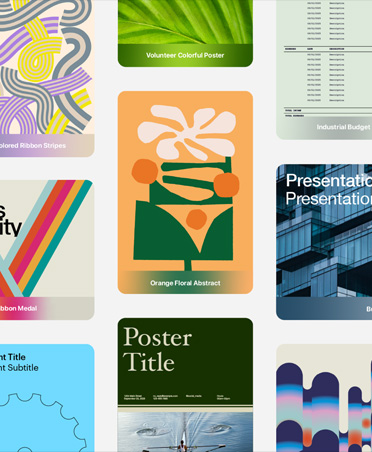
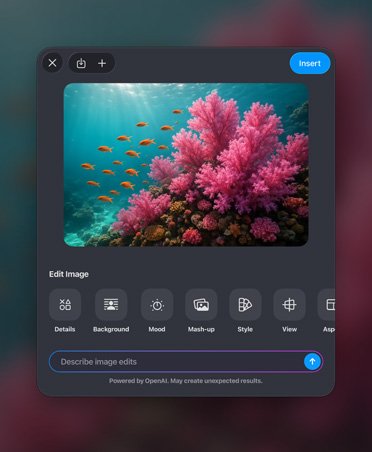
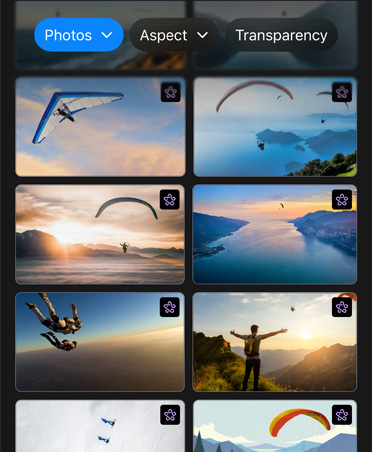
The weird part is that Content Hub lives only in the productivity apps. You can’t pull it directly into Pixelmator Pro or Final Cut Pro, which feels like Apple leaving a door half-installed. Stock imagery and graphics are arguably more valuable inside the creative apps. Maybe this changes later, but right now it’s an odd wall between tools that are supposedly part of one studio.
The subscription question: incredible value, unless you already paid the Apple tax
Here’s the core tension in this Apple Creator Studio review: the bundle is absolutely a bargain if you’re coming in fresh. If you haven’t bought Final Cut Pro, Logic Pro, Pixelmator Pro, Motion, Compressor, and MainStage outright, the monthly price looks almost comically reasonable compared to buying them individually. It lowers the barrier to entry in a way that will matter a lot for students, new creators, small businesses, and anyone testing a creative career without wanting to drop a pile of cash upfront.
But if you already own most of these apps, the value math gets awkward fast. The new features are good, but they don’t always feel like a whole new era of software. In day-to-day use, the apps often feel familiar enough that you could forget you’re in the “new” world until you spot an icon or stumble into a new menu option. Paying monthly for “the same thing, plus some upgrades” is a hard sell for people who’ve been happily working on perpetual licenses.
And then there’s the philosophical thing: subscriptions. Some people don’t care. Some people actively love the predictable cost and frequent updates. I’m still emotionally scarred from watching creative tools across the industry turn into rent. Apple at least keeps one-time purchases around on Mac for now, which matters. But the iPad dependency on subscription feels like a strong hint about where the road leads.
Still, the optimism is real. This is the most alive Apple’s pro app ecosystem has felt in a long time. The intelligent features are, refreshingly, designed to help you work faster rather than replace you with a button. The iPad versions are improving in the ways that actually matter under real workloads. And Pixelmator Pro landing on iPad with this level of completeness is one of the best signals I’ve seen that Apple is taking creative pros seriously across devices.
Apple Creator Studio won’t instantly pull every Adobe-tethered pro back into Apple’s orbit. The Adobe Creative Cloud ecosystem is still deeper in certain areas, especially around generative AI and some high-end workflows. But if you’re a modern creator who shoots, edits, designs, scores, and publishes without a Hollywood pipeline behind you, Apple Creator Studio is suddenly a very compelling home base.
Verdict
Apple Creator Studio is a surprisingly strong subscription bundle that finally makes Apple’s creative ecosystem feel cohesive, modern, and hungry again. Final Cut Pro’s new search and editing aids are real workflow accelerators, Logic Pro remains a powerhouse with excellent Mac-iPad round-trip, and Pixelmator Pro on iPad is an impressively complete win for mobile creators. The subscription model won’t thrill everyone, especially those who already own the standalone apps, and Final Cut Pro still needs true round-trip project support between Mac and iPad. But for most creative pros, students, and indie creators looking for a high-value suite with Apple-level integration, this is one of the best deals Apple has offered in years.