
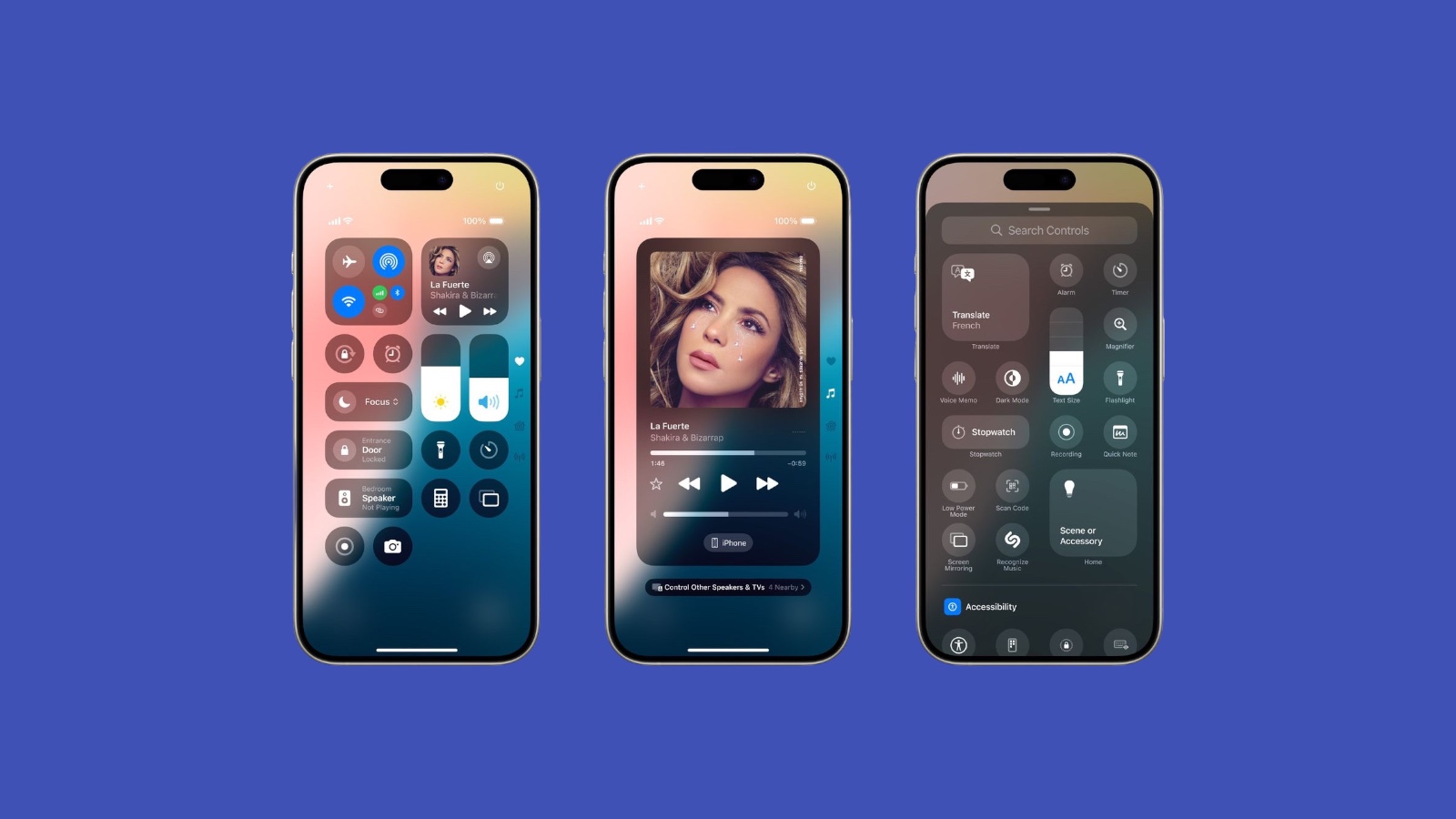
Apple’s latest iOS 18 public beta has unleashed a wave of customization possibilities for the Control Center, your iPhone’s command hub. Gone are the days of limited options – now, you can populate this space with your most-used apps and functions, transforming it into a personalized productivity powerhouse.
From its humble beginnings in iOS 7, the Control Center has evolved into a versatile tool, but iOS 18 takes it to the next level. Say goodbye to restrictions and hello to unlimited potential!
Creating Your Dream Control Center
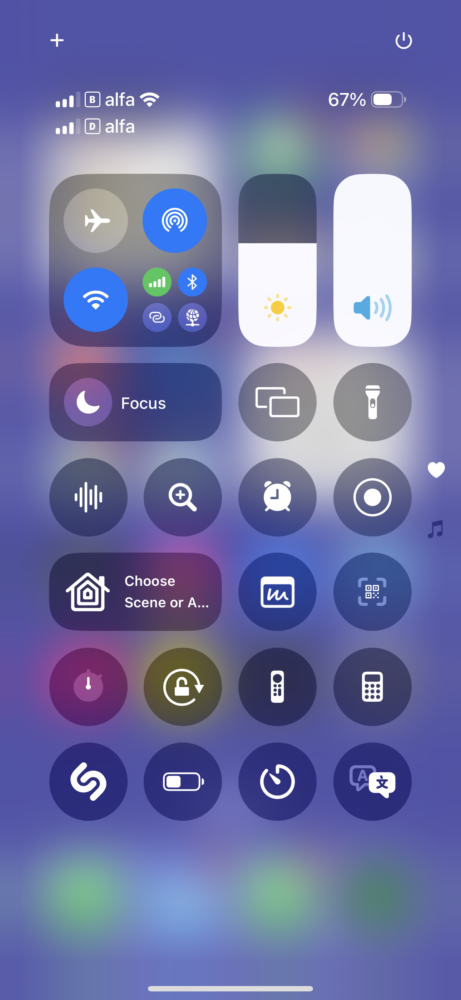
- Summon the Control Center: Swipe down from the top right corner of your screen.
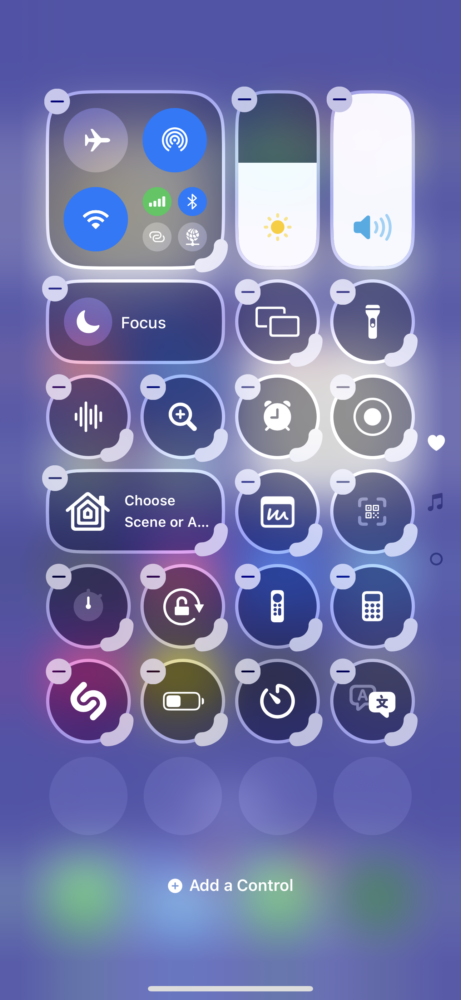
- Enter Edit Mode: Tap the “+” icon in the top left corner.
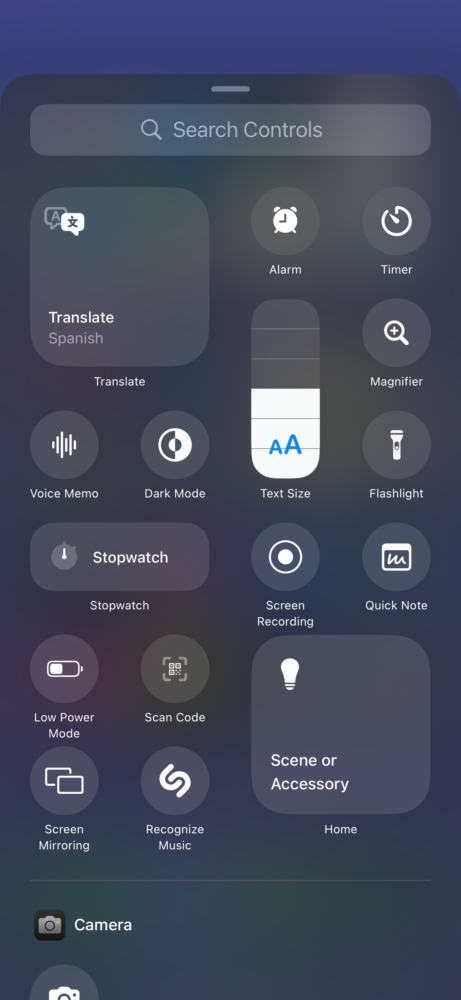
- Add Controls: Tap “Add a Control” at the bottom, then browse or search for the apps and functions you want to include. You can even create an “Open App” shortcut for any app on your phone!
Organize and Optimize
- Resize Controls: Some controls, like Screen Recording or Music, can be expanded into larger tiles or even dedicated pages for more functionality. This is a great way to give quick access to functions you use frequently. Need to capture a gaming session in its full glory? Expand the Screen Recording control for a one-tap solution. Love listening to podcasts while you work? Give the Music control its own page for easy playback controls.
- Rearrange Controls: Drag and drop controls to your preferred order. Put the most-used items front and center for lightning-fast access. For music lovers, this might mean placing the Music control at the top of the list, while photography enthusiasts might prioritize the Camera shortcut.
- Create Multiple Pages: If one page isn’t enough to house all your essential controls, simply add more! Swipe up or down to navigate between them. This is a fantastic option for power users who rely on a wide range of features on a regular basis.
Spring Cleaning for Your Control Center
Removing unwanted controls is just as easy:
- Enter Edit Mode: Swipe down, tap “+”, then tap the “-” icon on the control you want to remove.
A Word of Caution
Remember, iOS 18 is still in beta, so you might encounter some bugs or battery drain issues. It’s best to test it on a secondary device before diving in on your main phone.
The Future of Control Center
The iOS 18 Control Center empowers you to create a truly personalized control panel tailored to your unique needs. It’s a game-changer for productivity, accessibility, and overall user experience.
So, what are you waiting for? Dive into the iOS 18 beta and start crafting your ultimate Control Center! With countless possibilities, you’re sure to create a setup that’s uniquely yours.