
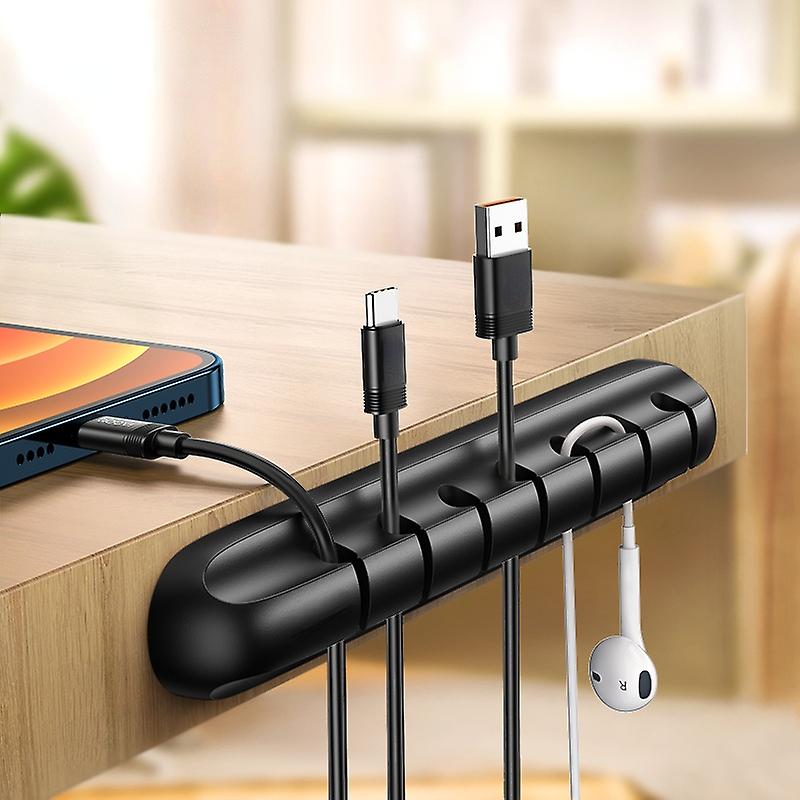
The wires snaking beneath your desk might seem like a harmless eyesore, but unchecked cable clutter can lead to headaches. Tangled cords are frustrating to navigate when you need to swap out a device, and they become unsightly dust magnets. Poor cable management can even create potential tripping hazards or impede airflow, causing your gear to overheat.
Fear not, for taming the tech jungle is easier than you think. With a few simple strategies and the right tools, you can transform your workspace into a haven of organized calm. Read on for tips, tricks, and product recommendations to banish cord chaos forever.
Step 1: Assess the Situation
Before diving in, take a moment to evaluate the current state of affairs. Identify the biggest pain points:
- Where are most of the cables coming from? Your computer, monitors, speakers, and peripherals all contribute to the mess.
- Are there any particularly unruly cables? Bulky power bricks, older cables without flexible sheathing, and excessively long cords are repeat offenders.
- What’s your desk setup like? Does your desk sit against a wall, or is it out in the open? Does it have built-in cable management features?
Once you understand the problem areas, you can start tailoring your solutions.
Step 2: Gather Your Tools
You don’t need fancy gadgets to achieve cable management bliss. Here’s the essential toolkit:
- Cable ties: Reusable velcro ties are ideal, as they allow for adjustments. Zip ties are a more permanent (and inexpensive) solution.
- Cable wraps: Neoprene sleeves neatly bundle multiple cables together.
- Adhesive cable clips: Stick these to your desk to route cables strategically out of sight.
- Under-desk cable tray: A simple, affordable way to hide bulky power strips and excess cord length.
- Label maker: Avoid the unplug-and-see-what-happens game by labeling your cords.
Step 3: Declutter and Consolidate
Before tidying, take the opportunity to declutter:
- Unplug unused devices: Unnecessary devices create extra clutter.
- Check for duplicates: Do you really need three micro-USB cables? Consolidate where possible.
- Invest in shorter cables: Overly long cords lead to tangles. Look for alternatives that match the distance you need.
- Consider a wireless upgrade: For peripherals like mice and keyboards, going wireless can significantly reduce cable clutter.
Step 4: Implement Smart Routing
Now, it’s time to tame the remaining cables:
- Start at the source: Bundle cords together as close to their devices as possible, minimizing loose wires.
- Utilize vertical space: Run cables down table legs or along the back of your desk, securing them with ties or clips.
- Hide the power strip: Mount it under your desk or tuck it into a cable tray to hide it from view.
- Choose the right fasteners: Use velcro ties for temporary routing, and zip ties for more permanent solutions.
- Think about airflow: Avoid bundling cables too tightly, which can restrict airflow and lead to overheating.
Step 5: Level Up Your Organization (Optional)
For extra polish and convenience, consider these additions:
- Wire channels: These raceways adhere to your desk or wall, offering a sleek way to hide cables.
- Charging hub: A multi-device charging station can streamline phone and peripheral charging.
- Monitor arms: Freeing up desk space eliminates surface-level cable clutter.
- Custom-length cables: For the ultimate clean look, invest in cables perfectly sized for your setup.
SHOP FOR IDEAS HERE.
Additional Tips and Tricks
- Color code your cables: Assign a color of cable tie to each device type for easy identification.
- Plan for future additions: Leave some slack in your cable management to accommodate new gadgets.
- Make it a routine: Devote a few minutes each week to tidying cables to prevent the chaos from creeping back in.
The Benefits of Good Cable Management
Beyond the obvious visual appeal, there are tangible benefits to effective cable management:
- Improved productivity: Spend less time untangling cords and more time on your work.
- Enhanced safety: Reduce tripping hazards and electrical risks.
- Better airflow: Prevent overheating for longer component lifespan.
- Easier cleaning: Dusting becomes a breeze when cables aren’t in the way.
Enjoy Your Zen Workspace
A well-organized desk isn’t just about aesthetics; it fosters a sense of calm and focus. By following these tips, you’ll create a workspace that inspires you.