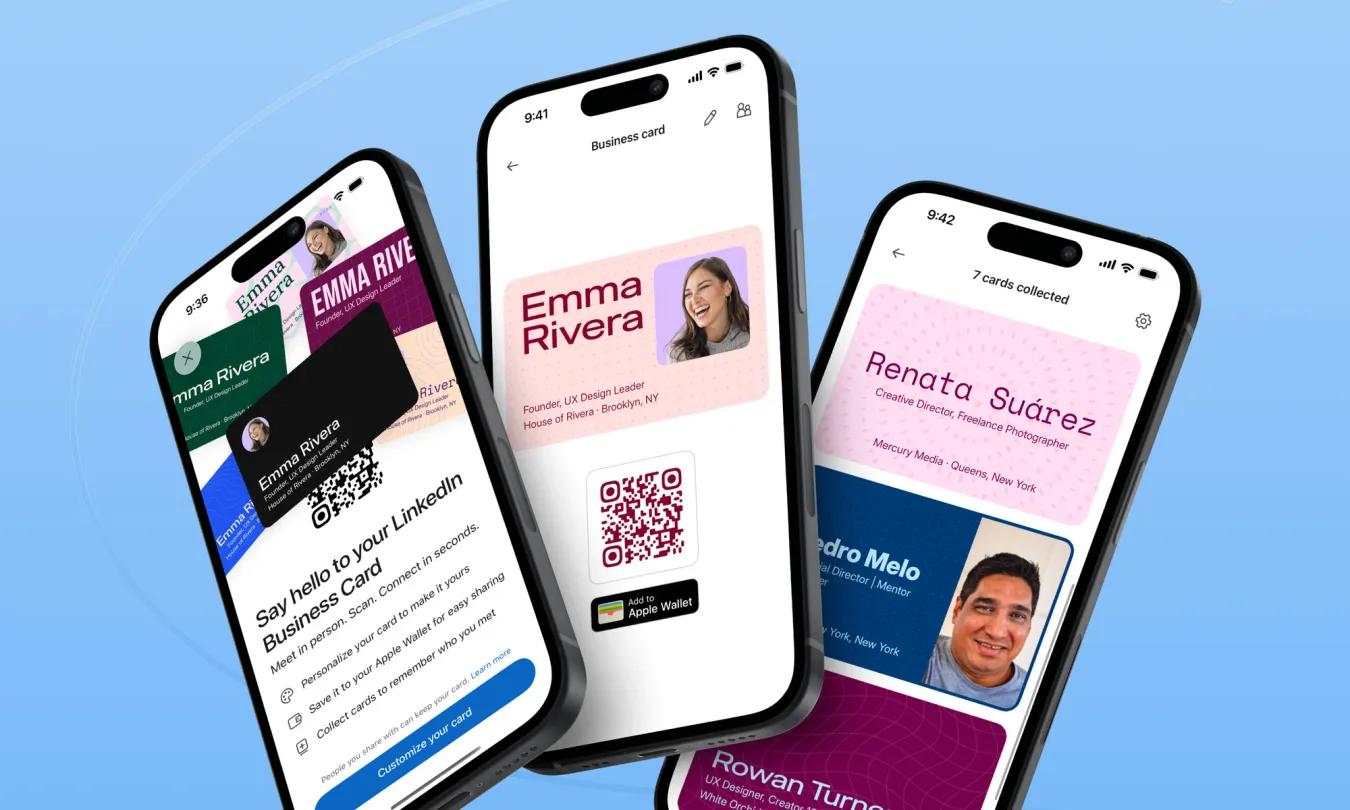

The paper business card was supposed to be dead by now, but LinkedIn has decided to bring it back as a digital one. The professional network has launched a customizable business card. You can store it in Apple Wallet or Google Wallet and share it in person with a quick scan. For now it only works in the LinkedIn mobile app and only in English. The company says more devices and languages will follow.
The idea grew out of something LinkedIn’s own users were already doing. LinkedIn has had a profile QR code for years, but it sits a few taps deep, and most people never notice it. Product designer Kevin Arcara and product partner Luke Miller saw that people at conferences were still digging it out to swap details. Others used odder workarounds, including NFC tags stuck to their fingernails. When LinkedIn staff at Cannes were seen doing the same thing, the team built a quick prototype that put the QR code in Apple Wallet. Colleagues at the event had their profiles in their wallets within hours. From there it was a short step to treating the code as a modern business card.
Setting one up is simple. Tap your profile photo, then the QR code at the top of your profile, and the card opens. An edit option lets you change the layout, font, colors and pattern, and add stickers or a hand-drawn doodle. The card has two sides, so you can check both before saving. After that, one tap adds it to your phone’s wallet. Then you can pull it up without opening the app.
Sharing works the old-fashioned way: someone scans your code. An optional Auto-swap setting in the share menu lets both people exchange cards in one scan, so there’s no back-and-forth. Swapping cards doesn’t send a connection or follow request. LinkedIn keeps collected cards in a separate area you can reach from the card screen or through My Network. That puts a small buffer between meeting someone and formally adding them.
That design choice may matter more than the stickers. Startups like Blinq, HiHello and Popl have spent years selling digital business cards. Apple’s NameDrop already lets iPhone users trade contacts by holding their phones together. LinkedIn’s edge is that the card points to a profile most professionals already keep up to date, with no extra subscription or hardware.
The open question is whether people will actually use it at the next trade show. The previous QR code was a useful feature that most users never found. Putting it in the wallet makes it easier to reach. Whether that’s enough to get people to use it in place of a paper card is something only the next round of conferences will show.