

TL;DR: Apple Creator Studio bundles Final Cut Pro, Logic Pro, Pixelmator Pro and more for AED 49.99 a month, now with built-in MotionVFX, Generate Fill and AI assistants powered by Apple and OpenAI models. The assistants are beta and English only, but paired with the iMac M6, it’s a superb-value creative studio.
One subscription turns the iMac M6 into a full creative studio
When I reviewed the iMac M6, I kept saying it was a creative rig dressed up as a family computer. Apple Creator Studio is the software that proves it. I ran the whole suite on that same iMac: Final Cut Pro, Logic Pro, Pixelmator Pro, Motion, Compressor, MainStage, plus Keynote, Pages, Numbers and Freeform with premium extras switched on. Together they made the colourful little all-in-one feel like a full post-production house, recording booth and design agency squeezed onto one desk. If the iMac M6 is the starship, Creator Studio is the crew that finally gives it somewhere to go.
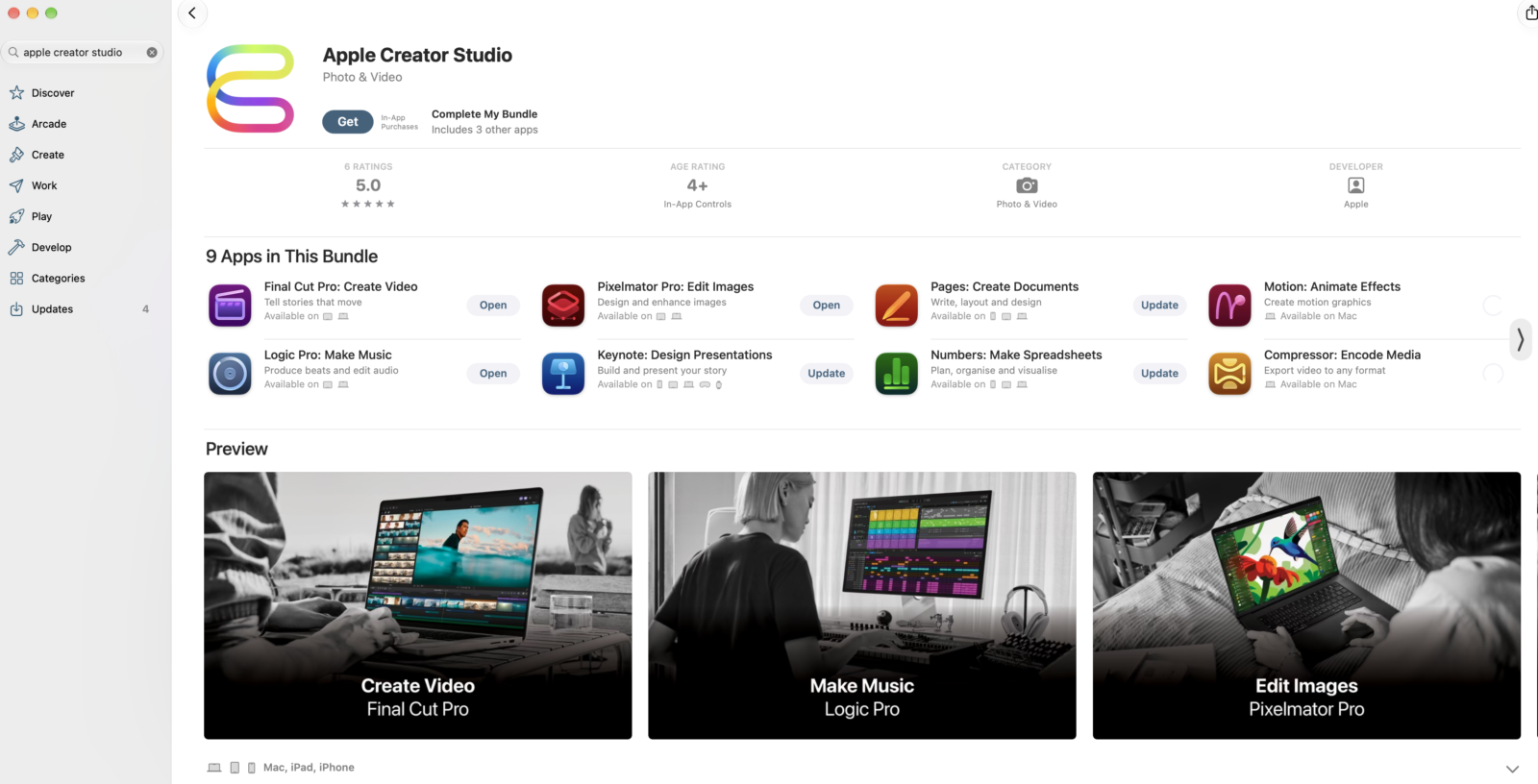
The pitch is simple. Instead of buying pro apps one at a time, you pay one subscription and get video, music, imaging and productivity tools that all talk to each other. This update is a big one. It adds the full MotionVFX toolkit, Generate Fill in Pixelmator Pro, a much smarter Logic Pro, and intelligent assistants built on Apple and OpenAI models across the productivity apps. I reviewed it as a complete package rather than ten separate apps, and that’s how it deserves to be judged. The individual apps were already strong. What’s new is how tightly they now connect to each other.
Pricing that makes Adobe’s subscription look like a boss fight
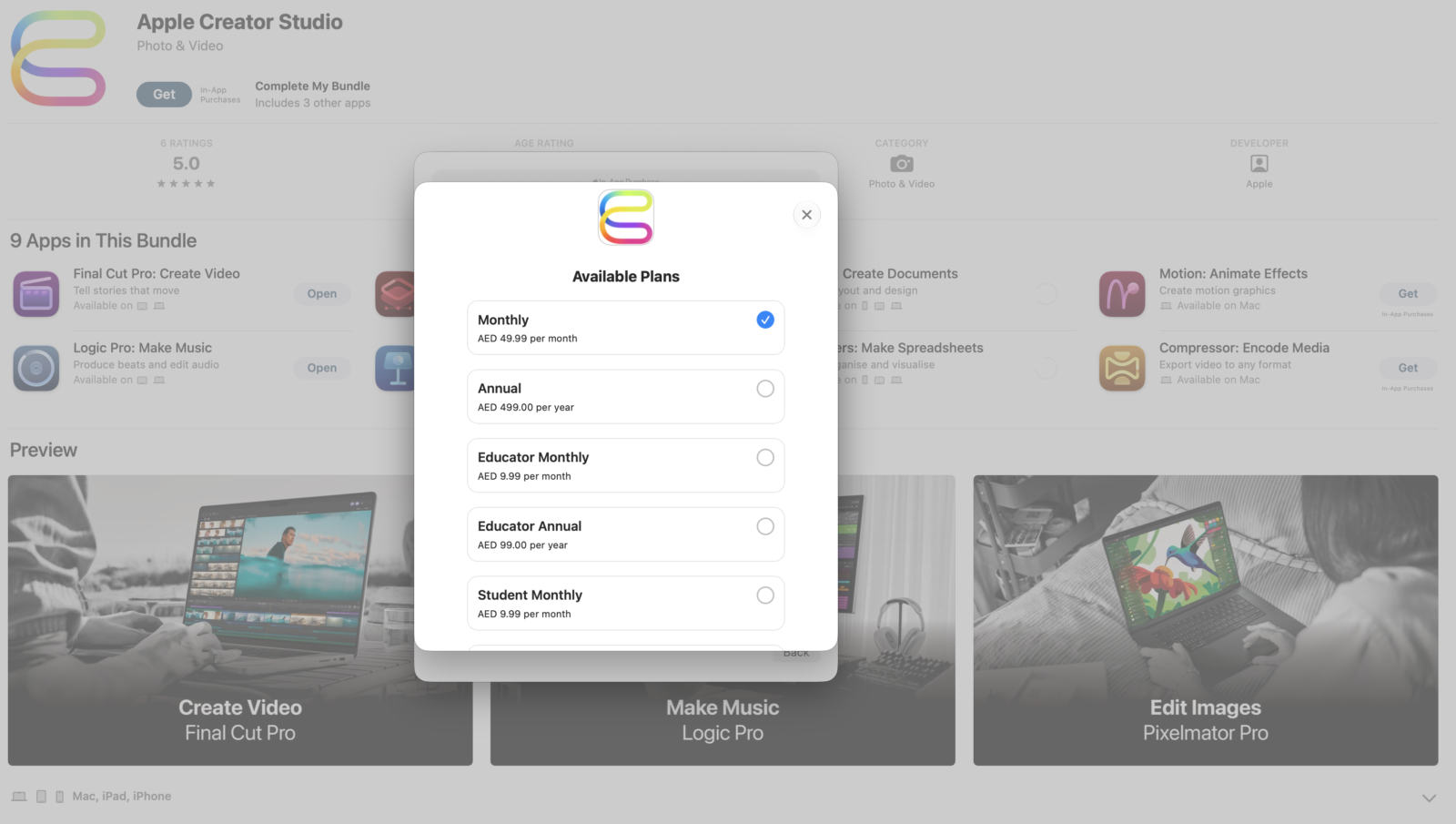
In the UAE, Creator Studio costs AED 49.99 a month or AED 499 a year after a one-month free trial, and buying a new Mac or iPad stretches that trial to three months. Students and educators pay AED 9.99 a month or AED 99 a year, which is close to free for this much pro software. Up to six family members can share everything through Family Sharing, and that’s a big deal in the same shared household the iMac M6 is built for. One subscription covering a parent editing YouTube videos, a teenager making beats and someone else building school presentations is serious value. The update is rolling out now, and existing subscribers get it free.
I also like that Apple hasn’t forced anyone into the subscription. One-time purchase versions of Final Cut Pro, Logic Pro, Pixelmator Pro, Motion, Compressor and MainStage are still on the App Store, and existing owners keep getting free updates. That’s the respectful way to handle a switch to subscriptions, and plenty of software giants could learn from it. The catch is that the newest premium content and intelligent features live inside Creator Studio. Buy a new iMac M6, take the three free months, and you’ll know quickly whether the subscription earns a place in your monthly budget.
MotionVFX inside Final Cut Pro is the headline act
This is the update that made me grin like a kid who found the cheat codes. MotionVFX is now built directly into Final Cut Pro for Mac and Motion. You get thousands of drag-and-drop titles, transitions, animated badges, split-screen layouts, overlays and effects, plus plug-ins for rotoscoping, tracking and colour grading, with no separate installs or licences to juggle. The really clever part is the tooling. 3D and surface tracking anchors titles into a scene with depth that follows camera movement, and it can even bend graphics across clothing and fabric. Lens flares react to the real lights in your shot, film-stock looks add grain and rich colour, and masked subjects can pick up outlines, glows and motion trails without hours of keyframing.
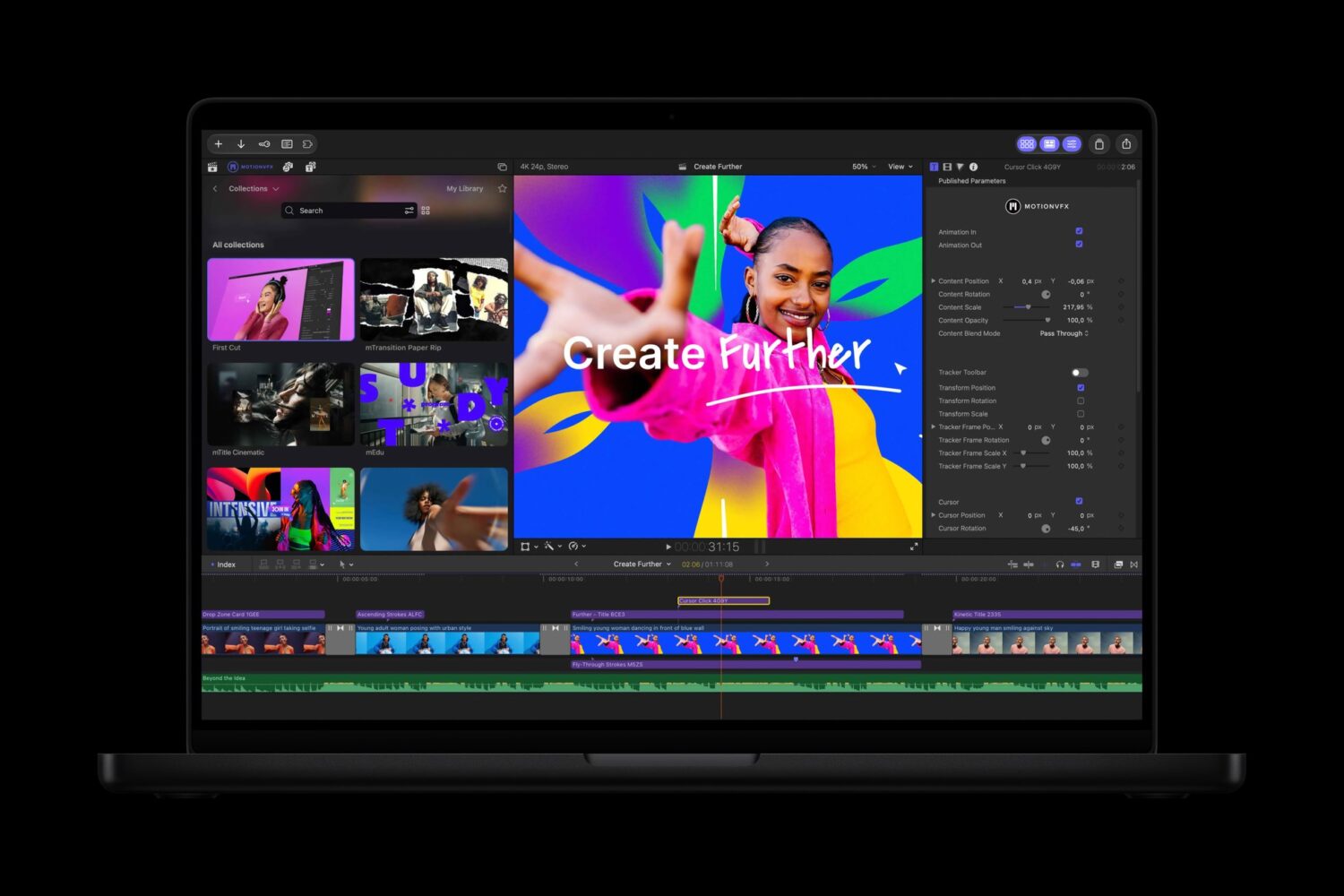
On the iMac M6, the MotionVFX panel lives in a dedicated tab, or you can pop it out into a floating window. That’s exactly where the four-port model’s dual 6K display support pays off, because you can park the effects library on a second screen and keep the 4.5K panel clear for the edit. Pin-based animation lets you bend and stretch a static illustration into a moving character, and it’s the kind of feature that makes a creator lose an entire evening. My one warning is that thousands of templates make it easy to overdo things. Restraint is still a skill, and no software subscription can include taste.
Final Cut Pro, Motion and Compressor fix real editing headaches
Beyond the flashy effects, Final Cut Pro gets a set of practical changes that editors will appreciate every single day. Disconnecting timeline clips is the big one for me. You can now ripple, trim and rearrange primary storyline footage without your B-roll, titles, voiceover or sound design sliding out of place. Final Cut’s Magnetic Timeline has always been brilliant until the moment it wasn’t, and this gives editors coming from other apps a way of working they’ll recognise. Expanded keyframe easing also means titles and speed ramps finally settle smoothly instead of moving like a PS2-era cutscene.
Content Hub now brings Apple-curated, royalty-free stock video, photos and backgrounds straight into Final Cut Pro, so filling a gap with an establishing shot no longer means hunting across stock sites. Transcription and transcript search now cover 23 additional languages, and clean subtitles land on the timeline in a single click, which is a huge win for multilingual creators. Advanced image generation lets you describe a backdrop or storyboard frame, then tweak its style, camera angle and aspect ratio before dropping it into the project. I treat it as a sketching tool rather than a replacement for real footage.
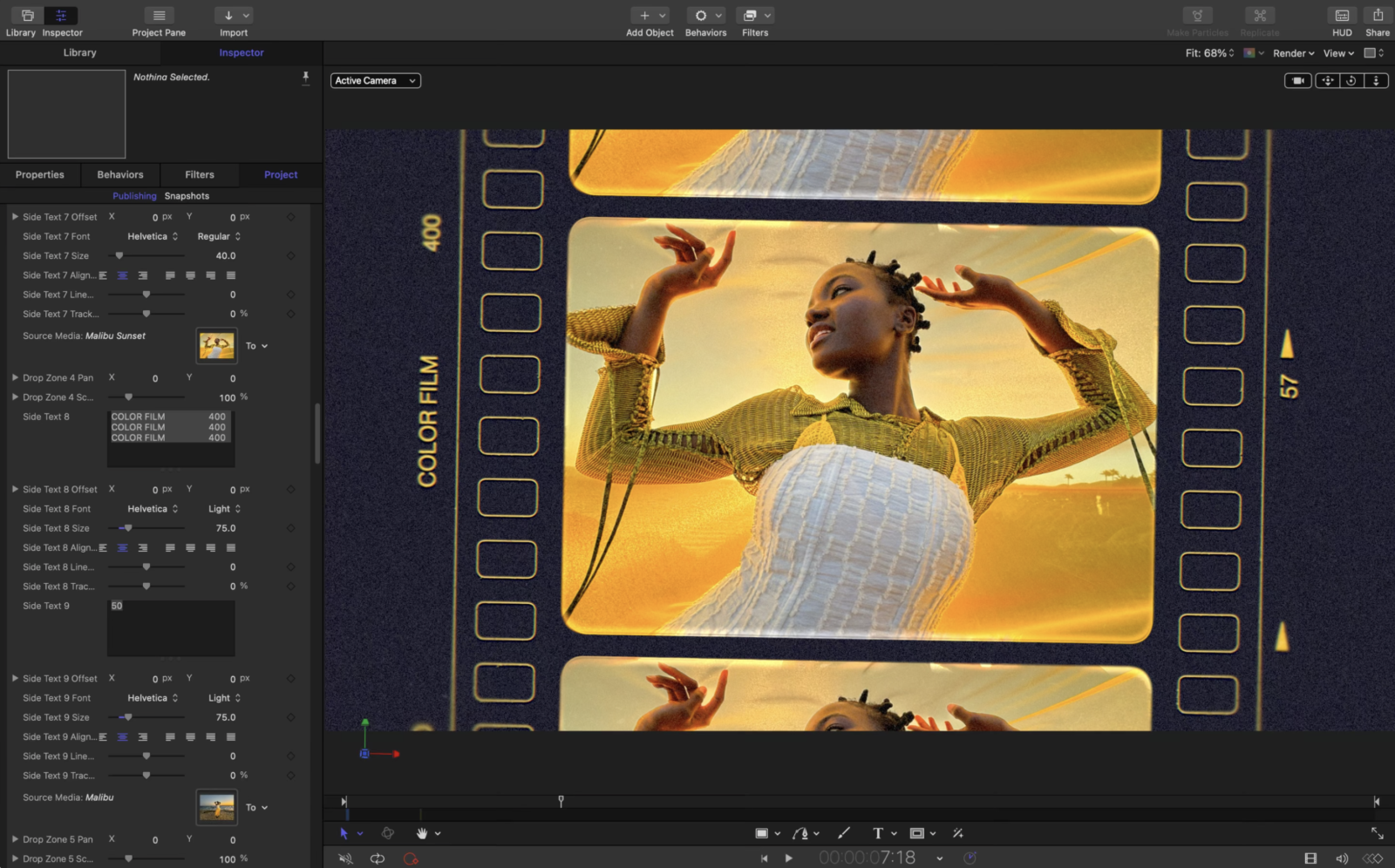
Over in Motion, the new Displacement filter is pure fun. Waves, Heat and Magnify presets create rippling water, heat shimmer and glass effects, and chromatic aberration controls give everything a slick sci-fi edge. Compressor also handles Cinematic mode effects from iPhone 18 Pro and iPhone Duo footage, so that shallow depth-of-field look survives all the way to export.
Pixelmator Pro’s Generate Fill is where the iMac’s AI hardware earns its keep
In my iMac M6 review, I singled out AI image work in Pixelmator Pro as a perfect showcase for those new Neural Accelerators, and Generate Fill is exactly that kind of task. Select an area, circle it, or use the whole image, then describe the change in plain language. Pixelmator Pro generates new content that matches the surrounding lighting, scale and perspective. For tighter control, the familiar Free, Quick and Magnetic Selection tools all work with it. Generated content is automatically upscaled with Super Resolution, so it stays sharp when you zoom in, which is where many AI fill tools fall apart.
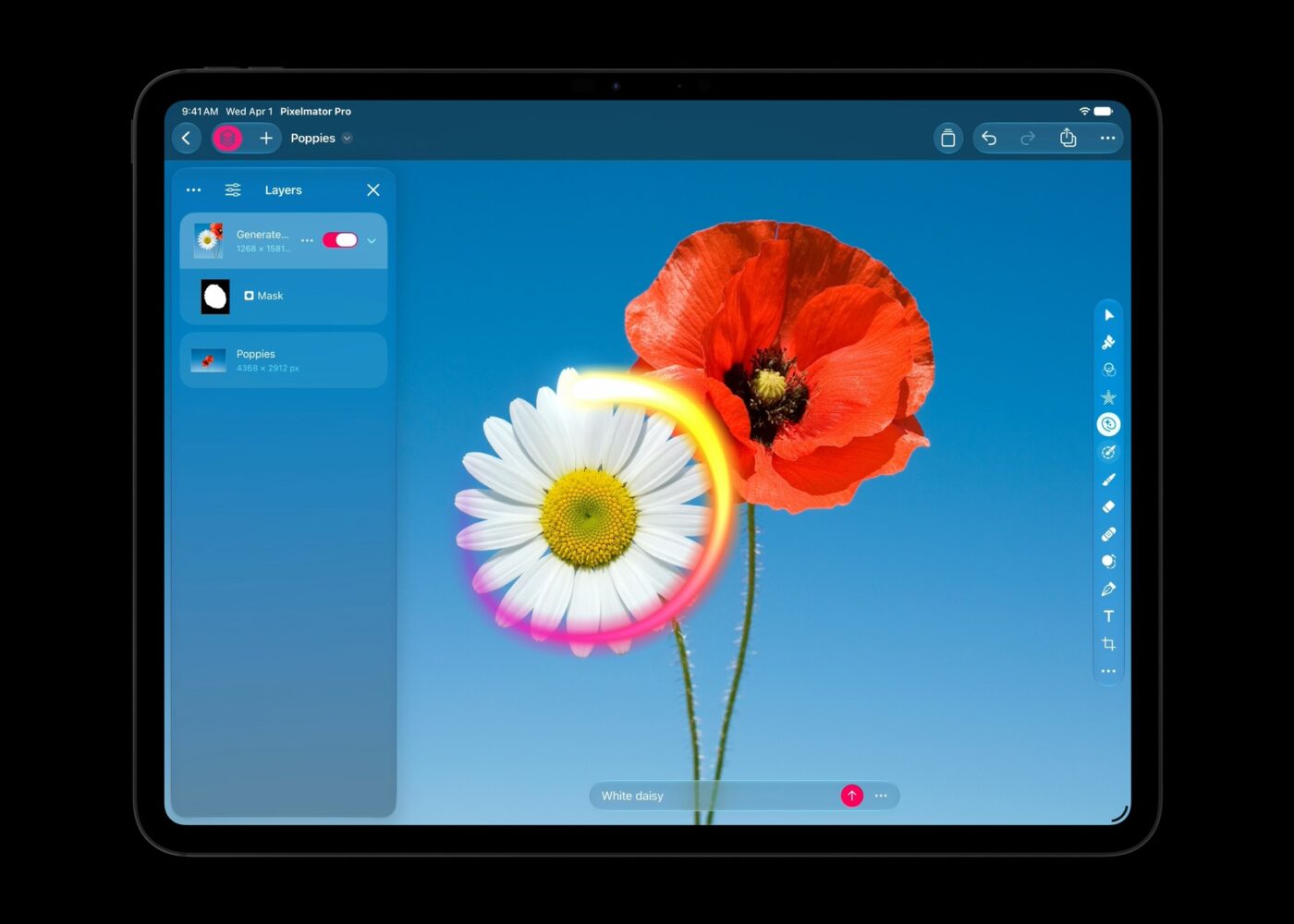
What I appreciate most is that results are flexible rather than destructive. Each generated element can be added as a new layer or merged into the image, and an intelligent mask lets you refine it later. That matters because no generative tool nails every request on the first try, and being able to adjust without starting over keeps the workflow sane. The round trip with Final Cut Pro, Motion and Freeform is just as useful. Open a still in Pixelmator Pro, fix it, and the edit appears back in your project automatically, with no exporting or file swapping. It’s the kind of plumbing you stop noticing quickly, and I mean that as praise.
Logic Pro gets a sound library that finally finds what you mean
Logic Pro’s new Unified Browser brings Apple’s loops, one-shots, patches and presets into the same place as your own sounds, including licensed Splice samples and any folder on your Mac. Logic analyses and tags everything automatically, so even a chaotic sample library becomes searchable without a single afternoon spent renaming files. Natural-language search is the magic trick here. Type something like “dark atmospheric pad” and it surfaces matches, or drag a loop into the search area to find similar sounds across your collection. Anyone who has scrolled through thousands of badly named kick drums at 2am will understand how big that is.
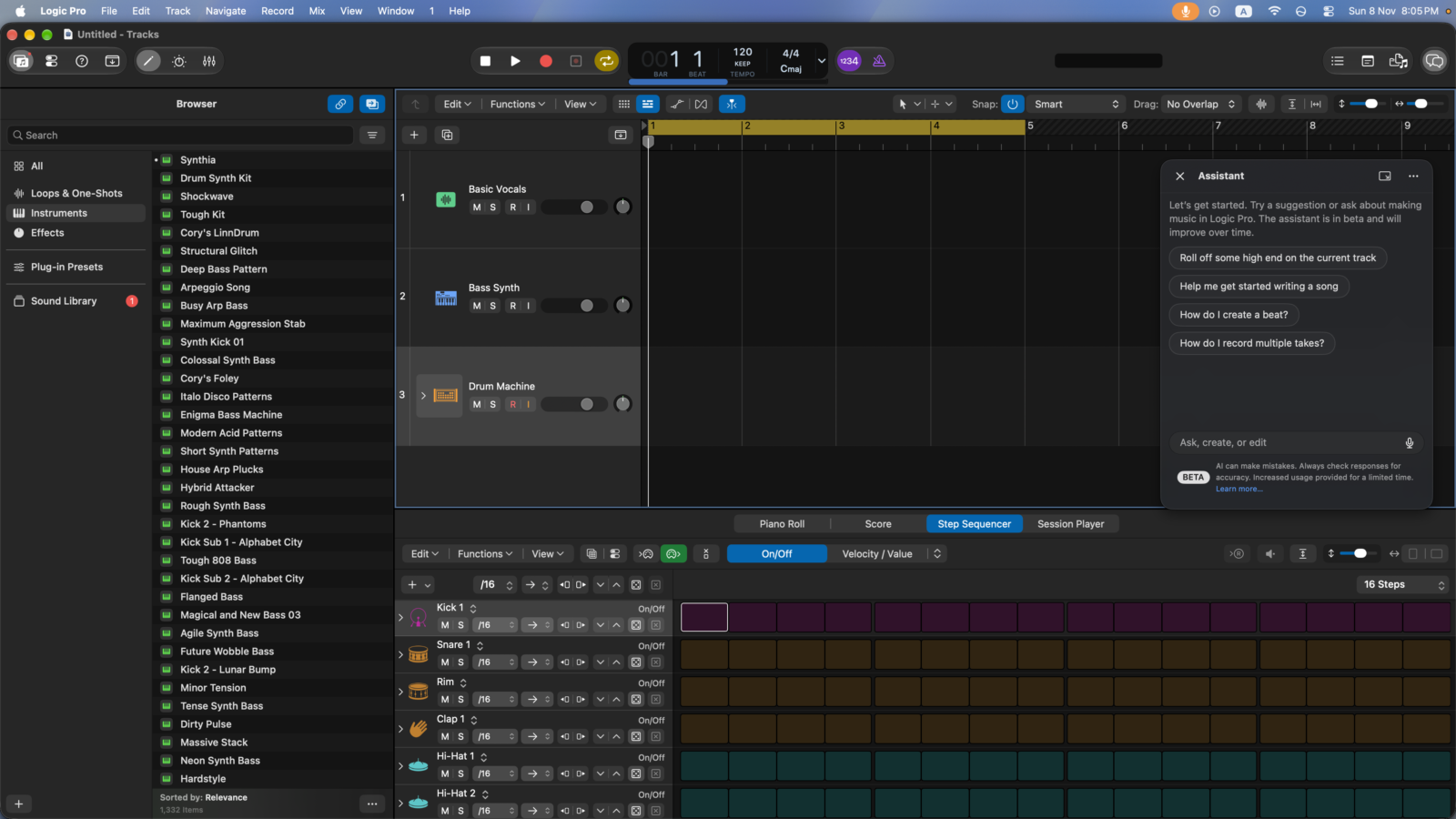
The enhanced Stem Splitter is the other standout. It now breaks drums into individual kick, snare, hi-hat, toms, cymbals and other percussion stems, on top of separating full instruments. Removing a harsh hi-hat or replacing a snare in a stereo recording without the original multitracks felt a little like sorcery, and the iMac M6 kept the workflow moving nicely. The new Play Surface view puts instruments, drum pads and chord pads front and centre, with velocity, modulation, polyphonic pitch glide and note repeat for those rapid-fire trap hi-hats. Chord pads follow the Chord track, so you can’t play a wrong chord.
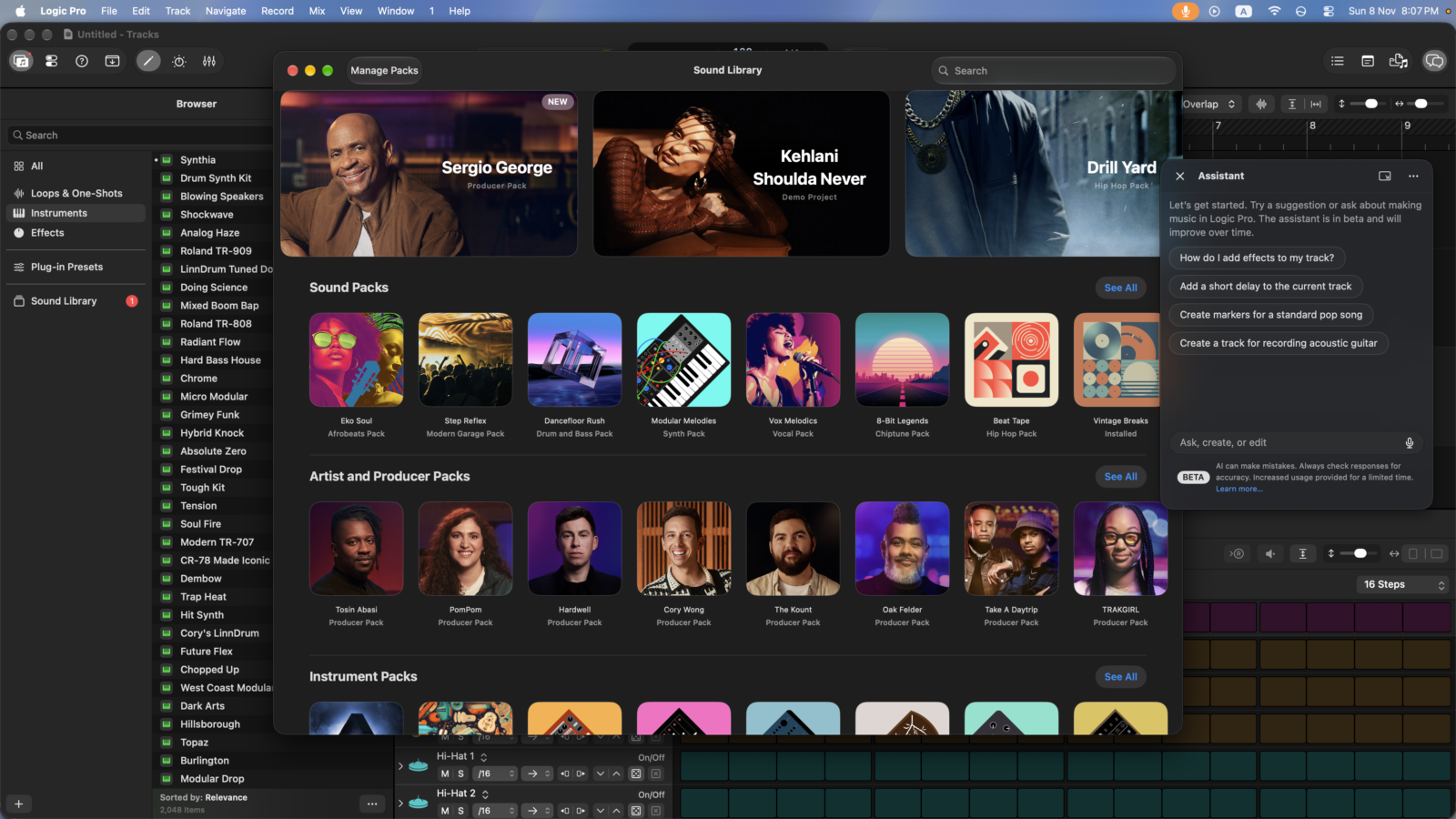
Sidecar turns an iPad into a multi-touch controller for Logic Pro and MainStage. You can trigger Live Loops cells, tweak plug-ins and ride several mixer faders at once, which is a cheap way to get hands-on control without buying more hardware. The new Sergio George Producer Pack also adds authentic Latin jazz and salsa sounds to the library.
AI assistants built on Apple and OpenAI models are clever but still in beta
Intelligent assistants arrive in Logic Pro for Mac, Keynote, Pages and Numbers. They’re powered by a combination of Apple’s own models and OpenAI, and they understand the context of whatever you have open. In Logic Pro, the assistant can start a first song, set up a vocal track from a single prompt, teach techniques or refine an active project. Every suggestion can be reviewed before it lands, and normal undo and version history still apply. In Keynote it designs, animates and refines slides, generates presenter notes, images and shapes, and can even build a design from an image you give it. Pages gets drafting, restructuring and research it can fold straight into your document. Numbers calculates, organises and visualises data, recommends chart types with a one-tap preview and builds custom tables using world knowledge.
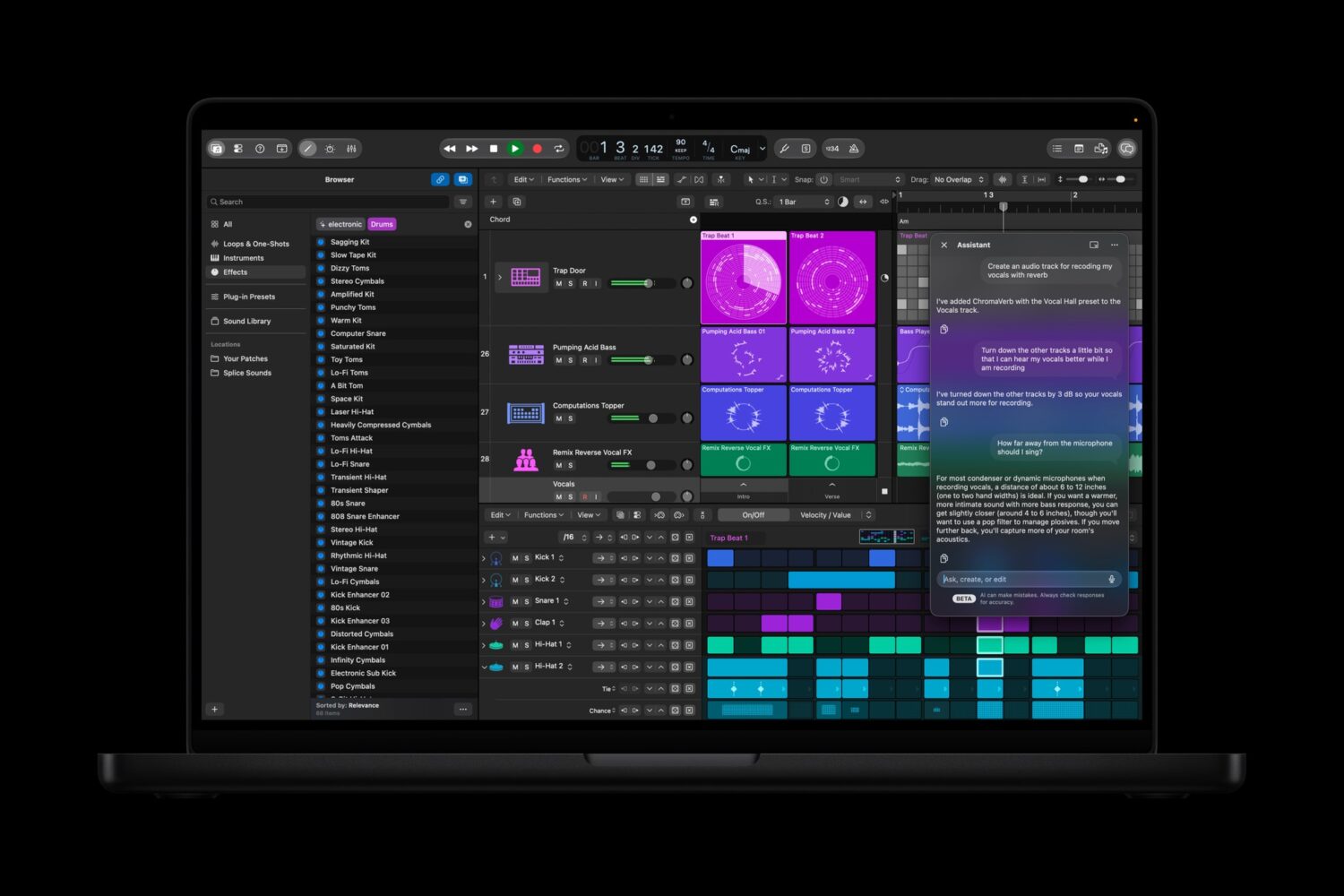
Now the fine print, because it matters. The assistants are in beta, English only, and need an Apple Intelligence-capable device running macOS 27, iPadOS 27 or iOS 27. The AI features that rely on outside models also come with usage limits. That echoes the Siri AI caveats I raised in the iMac M6 review, so I wouldn’t subscribe for the assistants alone, and privacy-minded users should know that not every request stays inside Apple’s own models. Think of it as a capable droid co-pilot, not Skynet, and that’s honestly the right balance.
MCP support in Keynote, Pages and Numbers is the sleeper hit for power users. It’s also in beta and Mac-only, and it lets external AI agents read content, make edits and run automated actions directly in your documents. The new open, JSON-based .keyx Keynote Interchange Format is available to everyone and pushes in the same direction by making presentations readable by outside tools.
Keynote, Pages, Numbers and Freeform get premium polish
Subscribers get stock video inside Content Hub across Keynote, Pages and Numbers, plus a fresh batch of professionally designed themes and templates for decks, posters, proposals and reports. These are easy to dismiss as extras, but a strong template is often the difference between a presentation that looks expensive and one that looks like a 2009 school project. For small business owners using the iMac M6 as their main workstation, this makes the subscription feel less like a creators-only luxury. The productivity apps were always free, and these perks give them a genuine premium tier.
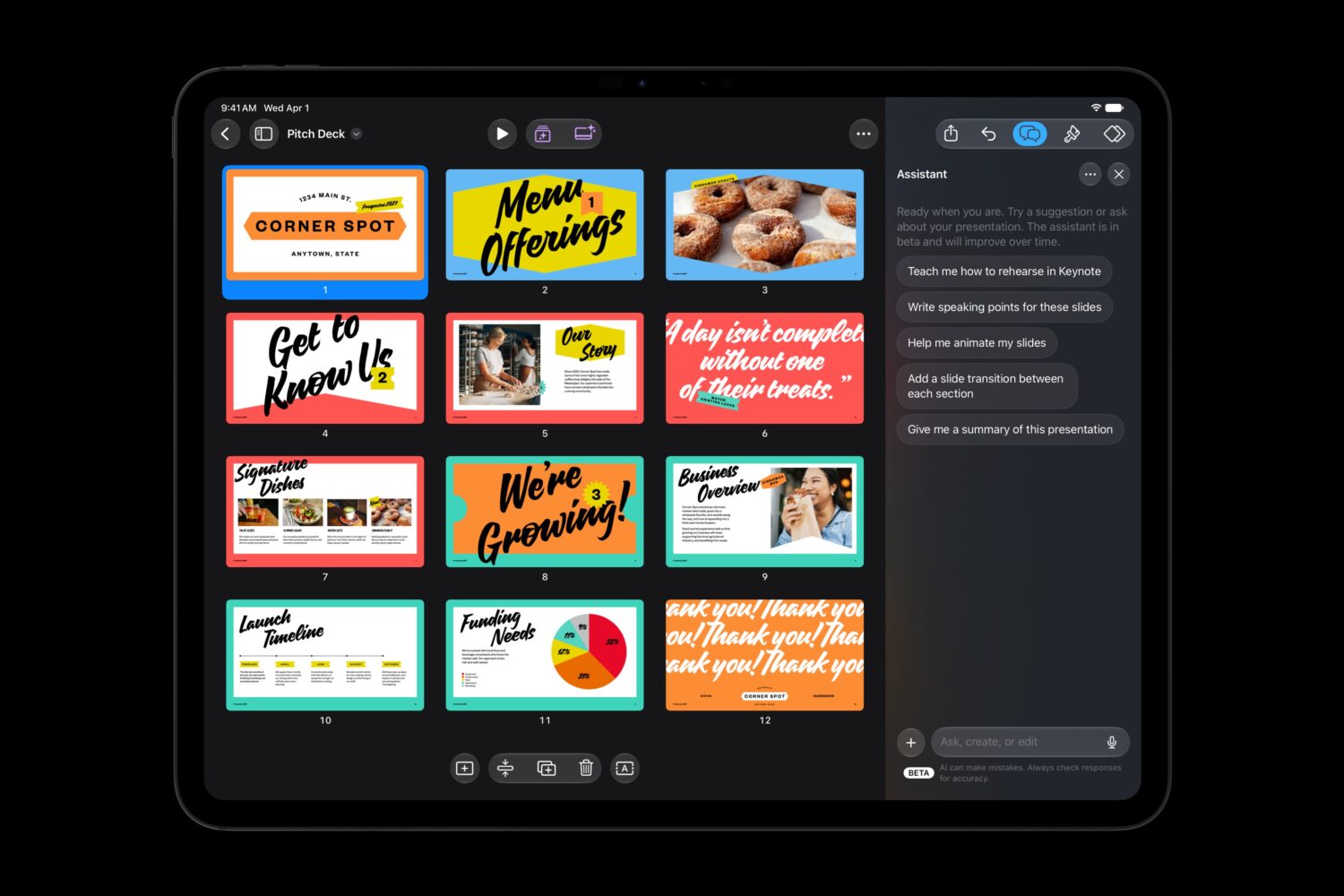
Freeform also picks up customisable board backgrounds and text styles from Giant to Small for everyone. Subscribers get Generate Shape, which creates shape options from a text description that you can break apart and restyle, plus Edit in Pixelmator Pro on iPad and Mac. Those Freeform features arrive later this year rather than immediately, so they weren’t the focus of my review. The wider point holds, though. Every app in the suite now hands work to the others, and that connected feel is the real reason to subscribe. It’s less a bundle and more a single studio with ten doors.
Liquid Glass and the iMac display make a gorgeous pairing
Logic Pro and MainStage adopt the new Liquid Glass design, with translucent surfaces and deeper contrast that help waveforms, tracks and plug-ins stand out. On the iMac M6’s 4.5K Retina panel, the effect is lovely, with crisp text and a cleaner interface that keeps your attention on the music. I’ll admit that design refreshes in pro apps can make long-time users nervous, since muscle memory is sacred. Here, the changes felt like a cleanup rather than a reshuffle, which is the right call for apps people use for hours at a time.
This is also where the hardware and software story comes together. The iMac M6’s wide-colour display suits Pixelmator Pro and Final Cut colour work, its unified memory and Neural Accelerators drive Generate Fill and Stem Splitter, and its fast storage keeps large libraries snappy. My advice from the iMac review stands, even more so with Creator Studio installed. If you plan to lean on video effects, AI image work and big sample libraries, 24GB of memory and generous internal storage are the smart choices. The software will happily use every bit of headroom you give it.
Verdict
Apple Creator Studio is the best argument yet for subscribing to pro creative software. It bundles Final Cut Pro, Logic Pro, Pixelmator Pro, Motion, Compressor, MainStage and premium productivity extras for AED 49.99 a month or AED 499 a year, with excellent student pricing and Family Sharing for up to six people. This update brings real substance: MotionVFX built into Final Cut Pro and Motion, Generate Fill in Pixelmator Pro, a far smarter Logic Pro sound browser, drum-level stem splitting, and AI assistants built on Apple and OpenAI models. Better still, the apps hand work to each other without friction. I reviewed it on the iMac M6, and the pairing feels like they were designed together, because they basically were.
The weak spots are mostly about AI. The assistants are in beta, English only, and tied to Apple Intelligence-capable hardware and newer operating systems. Features that rely on outside models come with usage limits, and some Freeform features arrive later. Pros who own one-time purchase versions don’t have to switch, and anyone living exclusively in Windows is out of luck. Still, for creators, students, families and small businesses with an Apple silicon Mac, it’s an easy recommendation and outstanding value. That goes double for a new iMac M6, which comes with three free months.