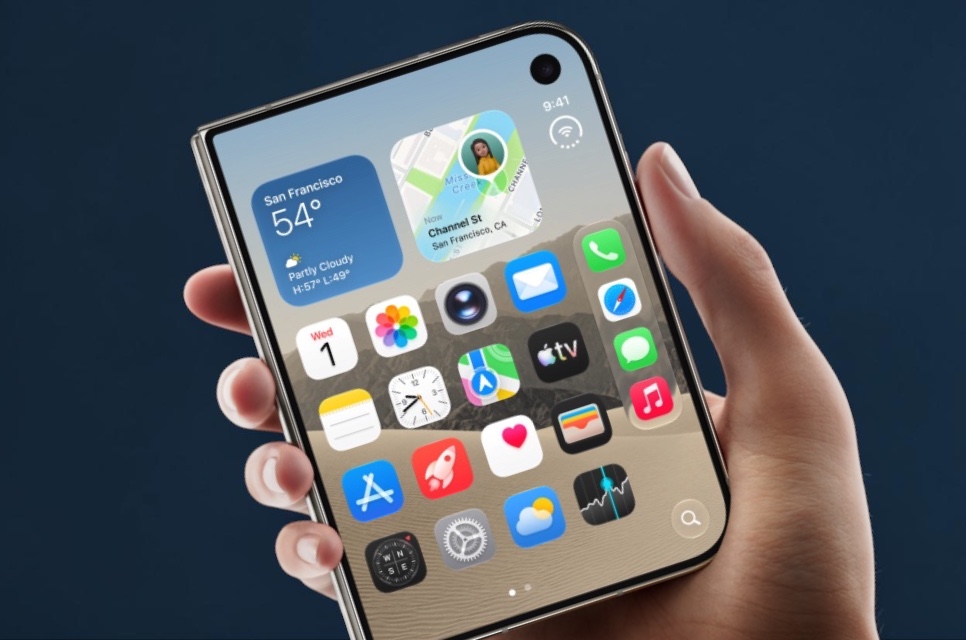
Apple’s first foldable iPhone has a setting that quietly admits something most phone makers prefer not to: the case you buy might cover part of the screen. Called Shift Left Edge, it lives on the iPhone Duo and nudges the outer display’s content inward so nothing ends up hidden beneath a case or frame that wraps over the left edge.
The option first surfaced in September, ahead of the Duo’s 23 October launch, but Apple has now documented it officially. That support material confirms a neat touch: snap on Apple’s own iPhone Duo Case and the phone automatically pops up a prompt pointing you to the setting. If you’re using a third-party case with a similar lip, you’ll need to turn it on yourself.
Doing that is straightforward. Head to Settings, open Display & Brightness, flip on Shift Left Edge and confirm with Enable. The phone warns that it needs to restart, though in practice it’s closer to a quick refresh than a full reboot, with a brief black screen before you land back where you started. Return to the Home Screen and you’ll see a thin black strip running down the left side of the outer display, making room for the case so icons and controls stay fully visible and tappable.
It’s a small feature, but it highlights a real design tension with foldables. Protecting a hinged device often means wrapping more of its edges, and any material that creeps onto the glass risks clipping content or interfering with interactions near the border. Rather than leaving accessory makers to guess, Apple has built a system-level compromise into iOS. The obvious trade-off is that you give up a sliver of usable screen, which may irritate owners who paid a premium for every millimetre of display.
It’s also worth noting that not every official accessory needs the fix. Apple sells two cases for the Duo: the standard iPhone Duo Case, which overlaps the screen edge, and a Folio with Kickstand that leaves the outer display untouched. Buyers who dislike the idea of a permanently shrunken screen have a first-party alternative, while third-party case designs will likely vary widely in how much they cover.
With the Duo still early in its life and supply tight, many owners are only now choosing protection for a costly and fragile device. The more interesting question is whether accessory makers treat Shift Left Edge as a safety net that lets them build bulkier, edge-wrapping designs, or as a sign they should stay off the screen entirely.