OpenAI has made its Dots agents easier to reach on iPhone and iPad. A ChatGPT update released late last week adds a dedicated home screen widget and three new Shortcuts actions. Together, they move Dots out from inside the app and into the parts of iOS people use without thinking about it.
Dots are OpenAI’s always-on agents, persistent assistants meant to handle ongoing tasks like research, inbox check-ins and online errands, rather than answering one prompt and moving on. Until now, getting to one on mobile meant opening ChatGPT and navigating to it. That is a small annoyance, but it matters for something designed to be used throughout the day.
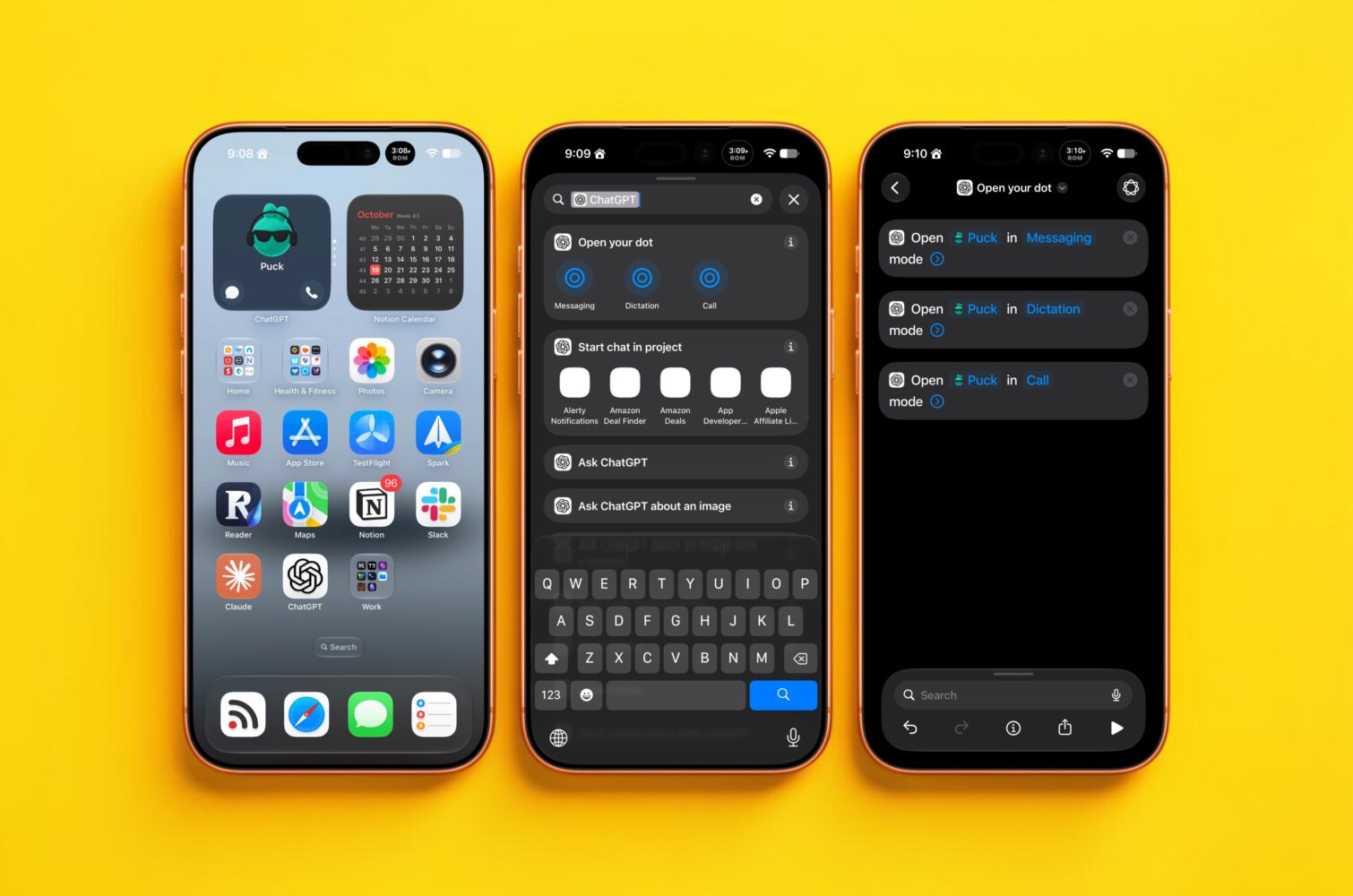
The new widget comes in a small size and has two configurations. The basic version shows your Dot’s avatar and opens its message thread when tapped. Turn on the shortcut button option in the Dot’s settings, and the widget adds separate buttons for text and voice, so you can start a spoken conversation directly from the home screen. It is a modest feature, but it gives faster access to a part of ChatGPT that is easy to miss inside an app that also includes Codex, chats and projects.
The Shortcuts integration is more interesting. OpenAI has added actions to message, dictate to or call your Dot, and each can run from Spotlight, inside a custom shortcut or from the iPhone’s Action button. Assigning a voice call to that button turns the agent into something close to a hardware shortcut. You can press a button, speak a task while walking, and find the results waiting later.
There is also a hint about what comes next. Each action asks you to choose which Dot to use, even though ChatGPT currently allows only one per account. A selector with a single option suggests support for multiple Dots is planned, which OpenAI pointed to at its DevDay event without giving a timeline.
The integration still has limits. The actions open a Dot conversation, but they cannot take input from other apps or return output for use in later steps of a shortcut. That leaves Dots outside the multi-app automations power users build in Shortcuts. Questions also remain about smoother handoff for people using a Dot across several Macs, and about reliability for scheduled tasks.
Even so, the direction is clear. OpenAI wants Dots to be something you can reach with one tap or one press of a button. The next step is letting them pass data to the rest of your apps, not just responding to them.